لقطات الشاشة
عن التطبيق
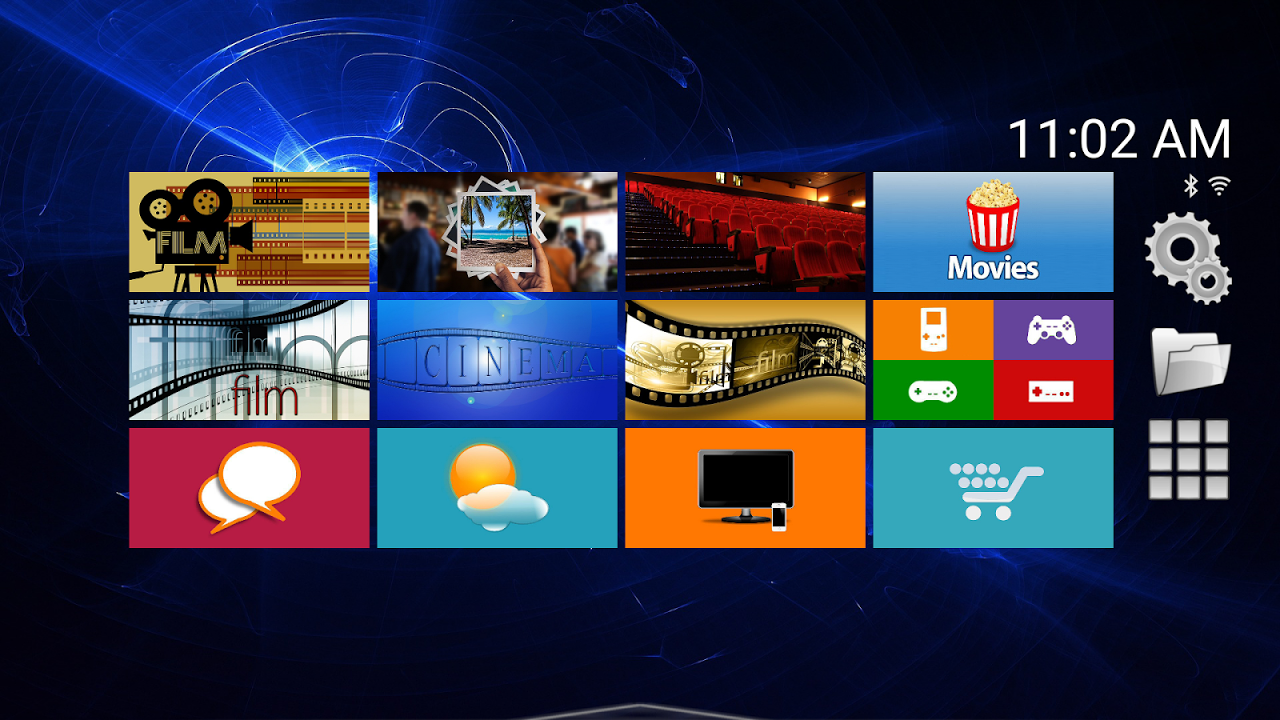
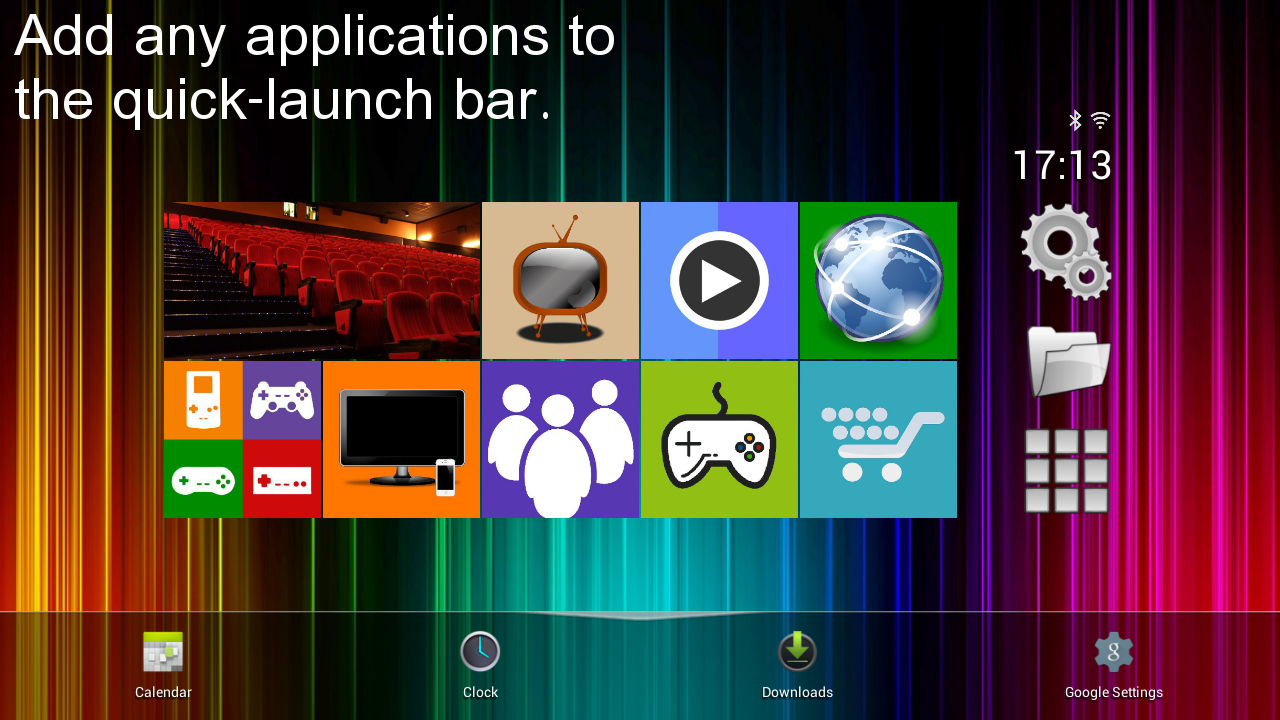
Top TV Launcher has been designed from the ground up to give you the user the best possible TV experience.
Key features:
* The ability to perform all actions using only the directional and select keys.
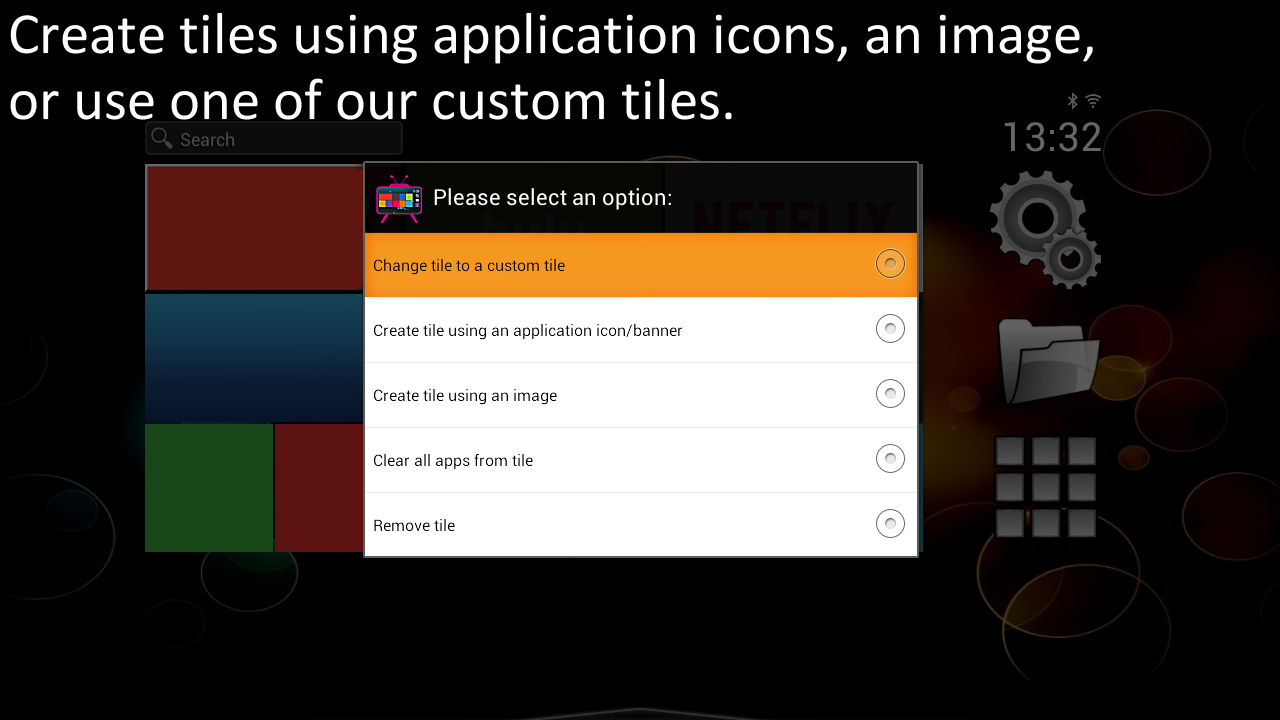
* Ability to create your own tiles from images.
* Ability to create your own tiles from your installed application icons/banners.
* Includes custom tiles.
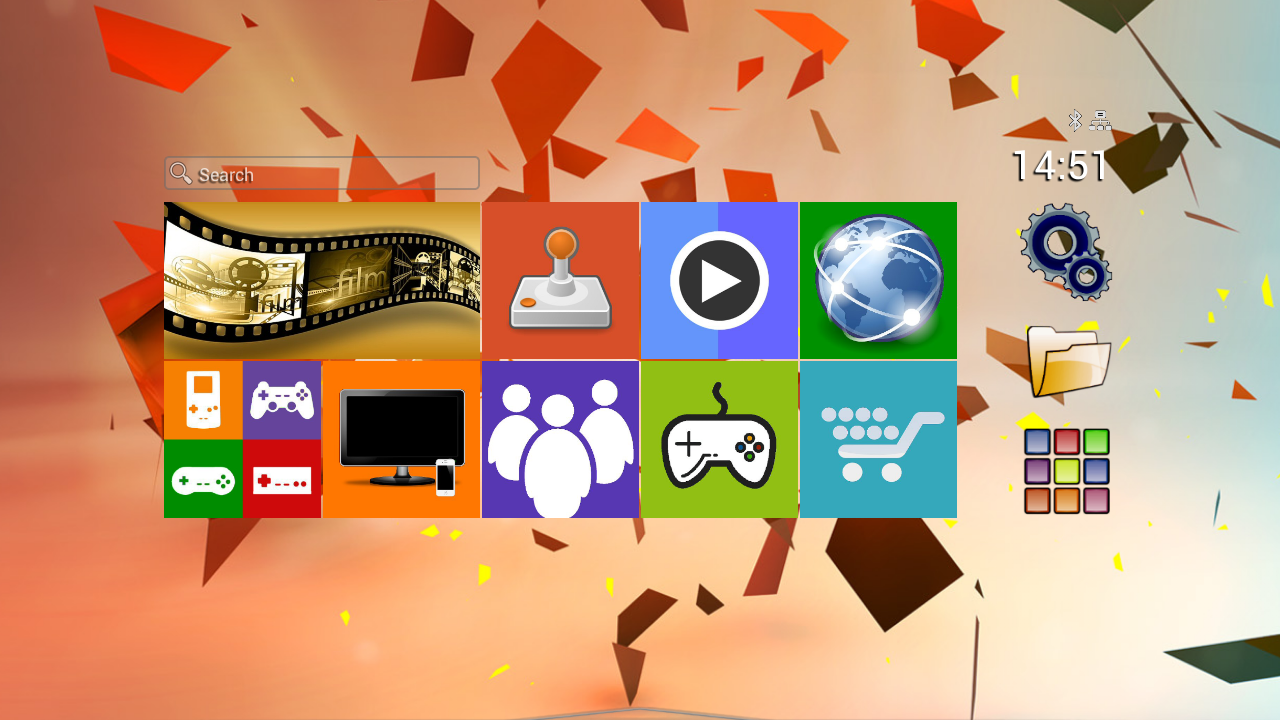
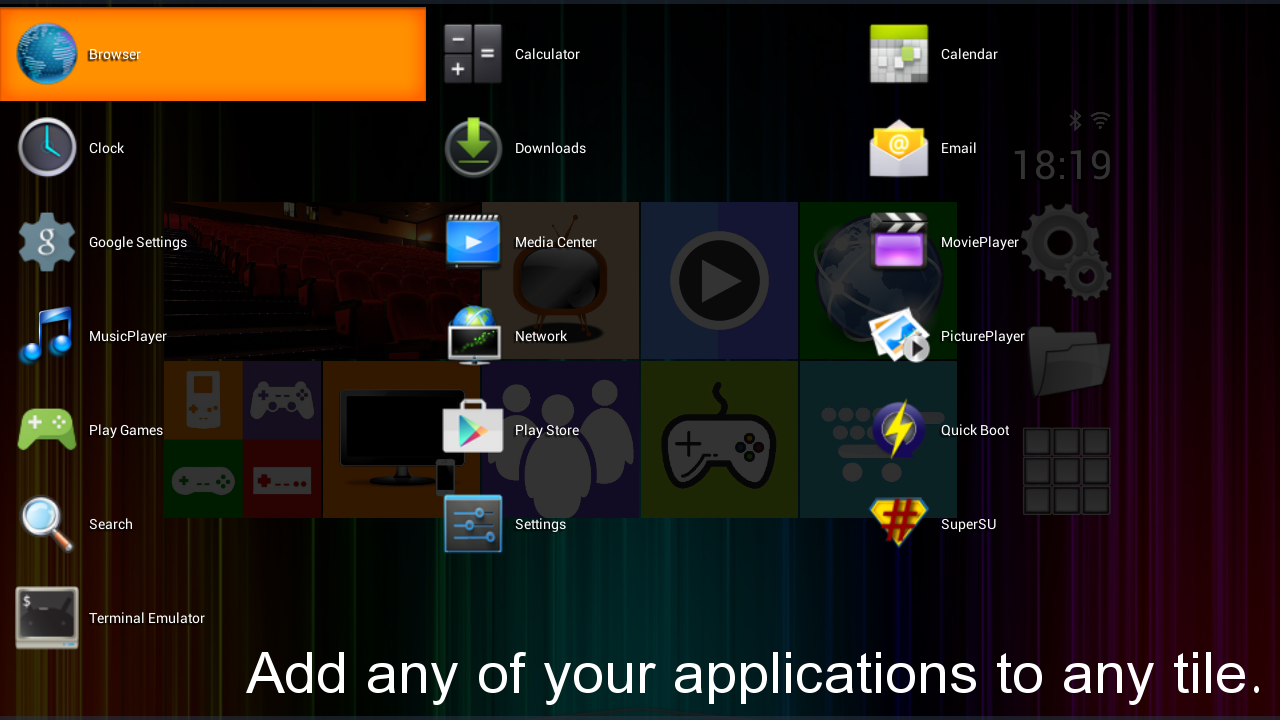
* Fully customizable tiles, giving you the ability to add any app(s) to any tile.
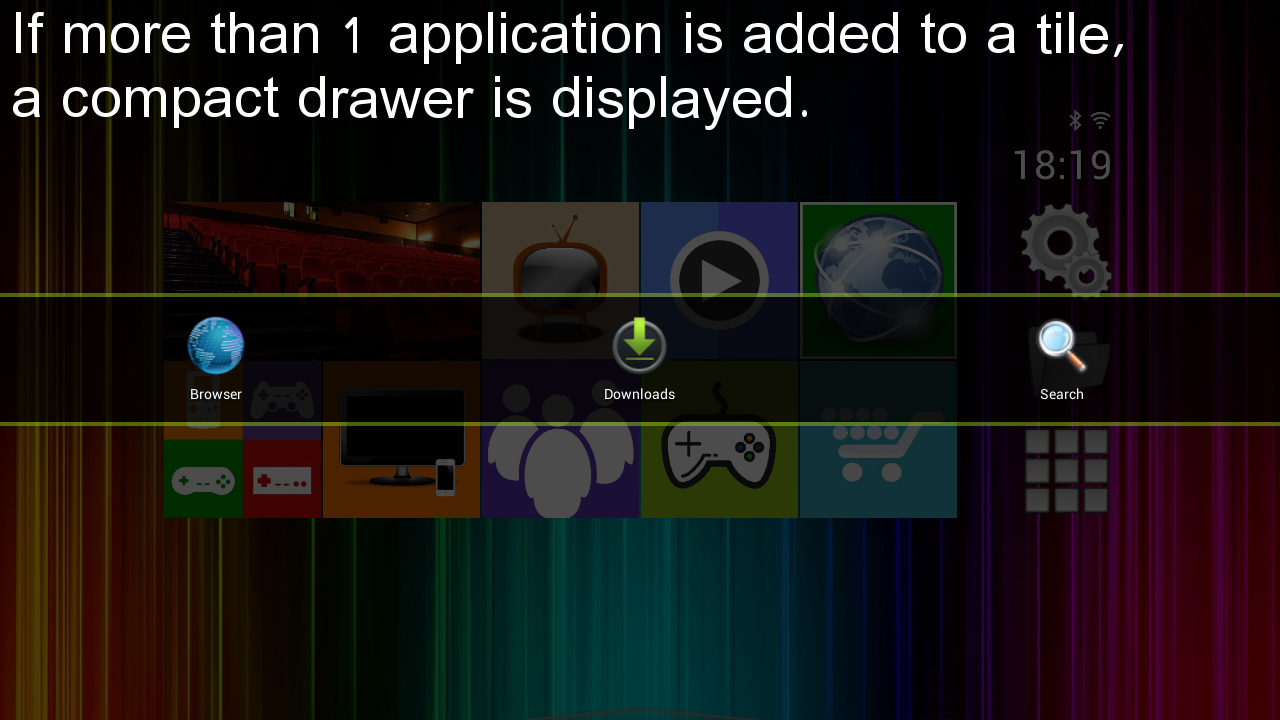
* If only 1 app is added to a particular tile the app will launch directly, otherwise an application selector is displayed.
* Ability to set the wallpaper.
* Mouse/Air mouse/Touch input is fully supported!
* Root is not required.
* No ads!
Compatible with any Android TV box, stick, tablet or phone and best viewed on high resolutions (1080p & 720p). For tablets and phones the launcher will operate in landscape mode.
Our TV launcher has been designed to look great, be customizable, and super simple to use!
Top TV launcher has been designed for use with any Android remote control using the arrow and select keys, however, it is fully compatible with any Android air mouse, keyboard, mouse or even a compatible gamepad!
Top TV Launcher can also be used to open your sideloaded applications.
Q&A:
Where can I find the launcher settings?
Long click on the settings tile to change settings and also access further help information.
How do I add applications to a tile or the quick-launch bar?
Long click on an app in the main application drawer and select 'Add application to tile or quick-launch'.
How do the tiles work?
If only 1 app is added to a tile, then the added app will launch automatically without any further prompts for the user.
If you were to add 2 or more applications to the tile, a compact app selection drawer will be displayed.
How does the quick-launch bar work?
Simply move focus to the bottom of the screen and the quick-launch pop-out will appear.
Please leave us a review!
</div> <div jsname="WJz9Hc" style="display:none">وقد تم تصميم الأعلى التلفزيون قاذفة من الألف إلى الياء لتعطيك المستخدم أفضل تجربة التلفزيون ممكنة.
الملامح الرئيسية:
* القدرة على أداء جميع الإجراءات فقط باستخدام مفاتيح الاتجاه ثم اختر.
* القدرة على خلق البلاط الخاص بك من الصور.
* القدرة على خلق البلاط الخاص بك من أيقونات التطبيقات المثبتة / لافتات.
* تشمل البلاط مخصص.
* البلاط تماما للتخصيص، مما يتيح لك القدرة على إضافة أي التطبيق (ق) إلى أي البلاط.
* وإذا أضيف 1 فقط التطبيق إلى البلاط معين التطبيق ستطلق مباشرة، وإلا يتم عرض محدد التطبيق.
* القدرة على ضبط خلفية.
* دعم ماوس / الهواء الماوس الإدخال / اللمس بشكل كامل!
* لا يشترط الجذر.
* لا إعلانات!
متوافق مع أي مربع التلفزيون الروبوت، عصا لوحي أو هاتف وعرضها بشكل أفضل على دقة عالية (1080p & 720P). بالنسبة للأجهزة اللوحية والهواتف قاذفة ستعمل في وضع أفقي.
وقد صممت لدينا قاذفة التلفزيون لتبدو كبيرة، تكون قابلة للتخصيص، وبسيطة فائقة للاستخدام!
وقد تم تصميم قاذفة كبار التلفزيون للاستخدام مع أي جهاز التحكم عن بعد الروبوت باستخدام السهم وحدد مفاتيح، ومع ذلك، وهو متوافق تماما مع أي فأر الهواء الروبوت، لوحة المفاتيح، والماوس أو حتى غمبد متوافق!
ويمكن أيضا أعلى التلفزيون قاذفة استخدامه لفتح التطبيقات الخاصة بك نقلها فقط.
Q & A:
أين يمكنني العثور على ضبط قاذفة؟
انقر طويلة على البلاط الإعدادات لتغيير الإعدادات وأيضا الوصول إلى مزيد من المعلومات المساعدة.
كيف يمكنني إضافة التطبيقات إلى البلاط أو شريط سريع لاطلاق؟
انقر طويلة على التطبيق في درج التطبيق الرئيسية وحدد "إضافة إلى تطبيق البلاط أو سريع لاطلاق '.
كيف البلاط العمل؟
وإذا أضيف 1 فقط التطبيق على البلاط، ثم التطبيق أضاف ستطلق تلقائيا دون أي مطالبات أخرى للمستخدم.
إذا قمت بإضافة 2 أو أكثر من التطبيقات إلى البلاط، وسيتم عرض مجموعة مختارة التطبيق الصغير الدرج.
كيف يعمل شريط سريع لاطلاق؟
ببساطة نقل التركيز إلى الجزء السفلي من الشاشة وسوف تظهر سريع لاطلاق البوب المغادرة.
يرجى ترك لنا مراجعة!</div> <div class="show-more-end">
معلومات إضافية
تاريخ التحديث
2016-09-11الإصدار
2.89الحجم
9.34 ميجابايتالمطور
DXIdevdxidevelopment@gmail.com
تصنيف المحتوى
Everyoneالحزمة
com.DXIDev.Top_TV_launcherالتوقيع (MD5)
23ed0698afe4462a50a3bd7f13eb1c39