0.0
١ مليونتنزيل
7.44 ميجابايتالحجم
موقّع وموثوق
لقطات الشاشة
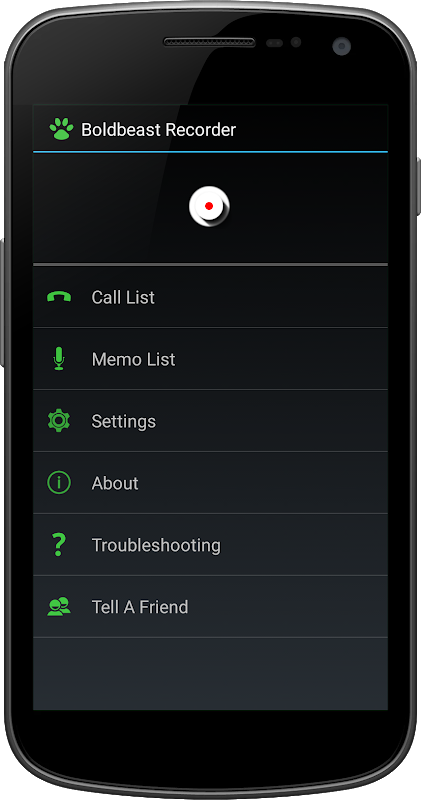
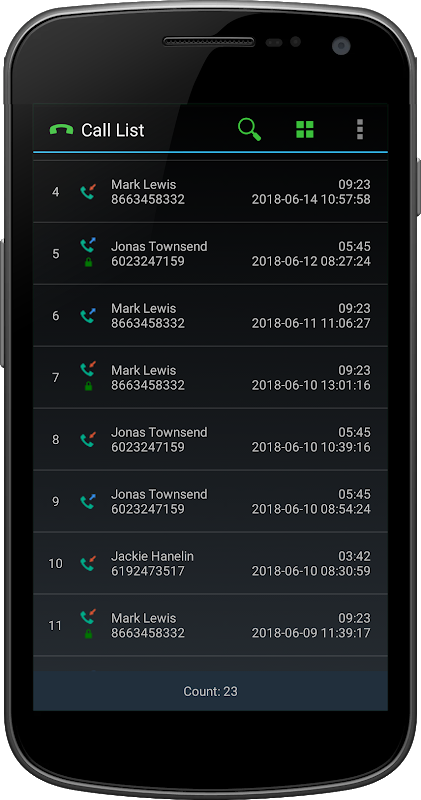
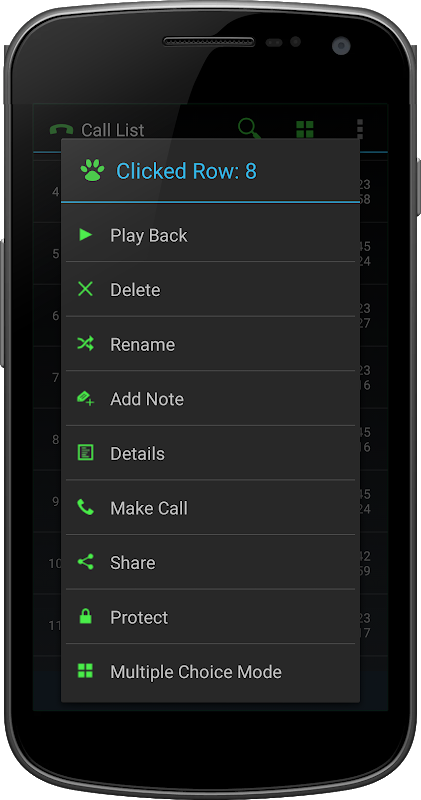
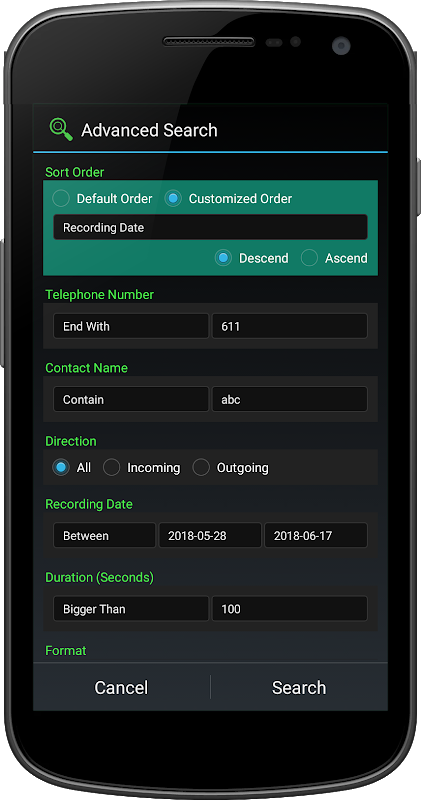
عن التطبيق
Good news
=============================
Android 10 phones like Samsung S10, S9, Note10, Note9, Nokia, Sony, Huawei, LG, Xiaomi etc work great.
(1) Tap "Call Settings - Manually Record Calls - Hotkey" in the app, enable Boldbeast Call Recorder accessibility service on the screen.
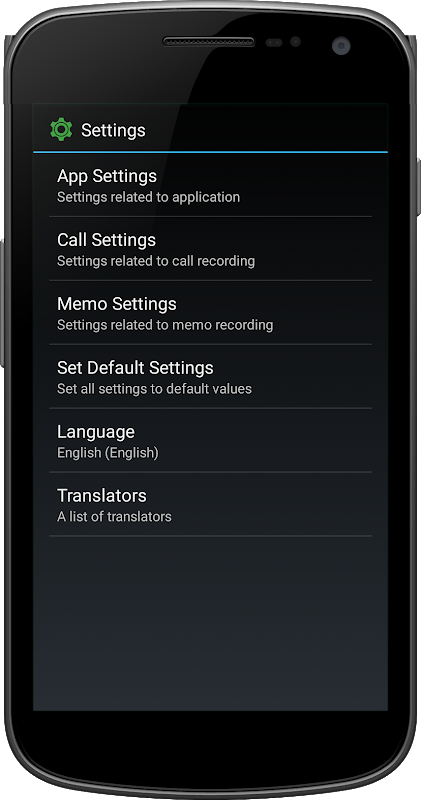
(2) Tap "Set Default Settings" in the app.
At once both your voice and the caller's voice will be loud and clear in recordings.
Two reasons you need this app
=============================
* You need a real business level call recorder, safe, clean, stable.
* You need high quality recordings.
Main features
=============================
* Record phone call
* Record voice memo, meeting, lecture, interview etc
* Manage recordings - search, play back, view, delete, add note, share etc
* Save recordings in the phone or in the removable SD card
* Auto backup recordings to your cloud drive (Google Drive / Dropbox)
* Many options you can choose, powerful meanwhile light weight and green
* The app is FREE. No advertisement.
Innovation
=============================
As a player in the call recording field, we have played several years. In these years we invented the solution of "perfect call recording without root" for android phones for the first time in the world, we helped numberless android users to avoid rooting their phones to get good call recordings. Later some other call recorders "invented" the same solution, but it seems they don't really know the details, as a result their record engines are not reliable, you'll find "sometimes in the recording the caller's voice is weak". However this app works great, the record engine is very reliable, recorded calls are loud and clear in two sides.
Android 8, 7, 6, 5
=============================
* All Android 8.1, 8.0, 7.1, 7.0, 6.1, 6.0, 5.1, 5.0 phones in the market record calls crystal clear in both sides, just install this app and go.
* With a few minor exceptions, Pixel 2, 1, Nexus 6P, 6, 5X, 5, 4, Moto G4, G2 have recording problems, in this case you should root the phone then this app can fix them perfectly.
Android 9
=============================
* Google disabled the call recording feature in Android 9, as a result in recordings your voice is good but the caller's voice is very weak. No matter what recorder you are using the result is the same, you can test and confirm this fact yourself. You should root the phone then this app can fix it. Without root you have no solution for sure, with root this app is exactly the solution.
* However in some market areas a manufacturer may enable the call recording feature in their own 9 phones, in this case no root needed, just install this app and go, it records calls very well.
* For example, Galaxy S10 Android 9 doesn't need root in Russia but needs root in other countries. Google Pixel 3 Android 9 doesn't need root in China mainland but needs root in other countries. Huawei Mate 20 Pro Android 9 doesn't need root in Italy but needs root in other countries. Needing root or not depends on the phone model and the market area.
Android 10
=============================
* Google disabled the call recording feature in Android 10.
* This app can bypass the limit for most phones, no root needed but special operation needed (see the top of this page). Both your voice and the caller's voice are crystal clear in recordings.
* However some phones still need root to fix recording problems.
Note
=============================
- The app is FREE.
- The most fantastic thing is, No advertisement!
- If needed you can upgrade to the PRO version by in-app purchase.
Calls were saved as "Unknown"?
Any other problem?
=============================
Look here: http://www.boldbeast.com/android/call_recorder_troubleshooting.html
أخبار جيدة
=============================
تعمل هواتف Android 10 مثل Samsung S10 و S9 و Note10 و Note9 و Nokia و Sony و Huawei و LG و Xiaomi وغيرها بشكل رائع.
(1) انقر فوق "إعدادات الاتصال - تسجيل المكالمات يدويًا - هوتكي" في التطبيق ، وقم بتمكين خدمة الوصول إلى Boldbeast Call Recorder على الشاشة.
(2) اضغط على "ضبط الإعدادات الافتراضية" في التطبيق.
في الحال ، سيكون كل من صوتك وصوتك المتصل بصوت عال وواضح في التسجيلات.
سببين كنت بحاجة إلى هذا التطبيق
=============================
* أنت بحاجة إلى مسجل المكالمات على مستوى العمل الحقيقي ، آمن ، نظيف ، مستقر.
* أنت بحاجة إلى تسجيلات عالية الجودة.
الخصائص الرئيسية
=============================
* سجل مكالمة هاتفية
* سجل المذكرة الصوتية ، الاجتماع ، محاضرة ، مقابلة الخ
* إدارة التسجيلات - البحث ، تشغيل ، عرض ، حذف ، إضافة ملاحظة ، مشاركة ، إلخ
* حفظ التسجيلات في الهاتف أو في بطاقة SD القابلة للإزالة
* تسجيلات النسخ الاحتياطي التلقائي إلى محرك الأقراص السحابي الخاص بك (Google Drive / Dropbox)
* العديد من الخيارات التي يمكنك اختيارها ، قوية في الوقت نفسه خفيفة الوزن والأخضر
* التطبيق مجاني. لا الإعلان.
ابتكار
=============================
كلاعب في مجال تسجيل المكالمات ، لعبنا عدة سنوات. في هذه السنوات ، اخترعنا حل "تسجيل مكالمات مثالي بدون جذر" لهواتف Android لأول مرة في العالم ، وساعدنا عددًا لا يحصى من مستخدمي android على تجنب تأصيل هواتفهم للحصول على تسجيلات مكالمات جيدة. في وقت لاحق "اخترع" بعض مسجلات المكالمات الأخرى نفس الحل ، لكن يبدو أنهم لا يعرفون التفاصيل حقًا ، ونتيجة لذلك فإن محركات تسجيلهم غير موثوقة ، ستجد "في بعض الأحيان يكون صوت المتصل ضعيفًا". على الرغم من أن هذا التطبيق يعمل بشكل رائع ، فإن محرك التسجيل موثوق به للغاية ، والمكالمات المسجلة بصوت عال وواضح من الجانبين.
أندرويد 8 ، 7 ، 6 ، 5
=============================
* جميع هواتف Android 8.1 و 8.0 و 7.1 و 7.0 و 6.1 و 6.0 و 5.1 و 5.0 في سجل السوق تستدعي بوضوح تام في كلا الجانبين ، فقط قم بتثبيت هذا التطبيق وتذهب.
* مع بعض الاستثناءات الطفيفة ، Pixel 2 ، 1 ، Nexus 6P ، 6 ، 5X ، 5 ، 4 ، Moto G4 ، G2 تعاني من مشاكل في التسجيل ، في هذه الحالة يجب أن تقوم بتجذير الهاتف ثم يمكن لهذا التطبيق إصلاحها بشكل مثالي.
أندرويد 9
=============================
* عطلت Google ميزة تسجيل المكالمات في Android 9 ، مما أدى إلى تسجيل صوتك جيد ولكن صوت المتصل ضعيف جدًا. بغض النظر عن المسجل الذي تستخدمه للنتيجة هي نفسها ، يمكنك اختبار هذه الحقيقة وتأكيدها بنفسك. يجب عليك الجذر الهاتف ثم هذا التطبيق يمكن إصلاحه. بدون الجذر ، ليس لديك أي حل بالتأكيد ، مع الجذر هذا التطبيق هو بالضبط الحل.
* على الرغم من ذلك ، في بعض مناطق السوق ، قد يقوم الصانع بتمكين ميزة تسجيل المكالمات في هواتفهم التسعة الخاصة بهم ، وفي هذه الحالة لا يحتاج إلى جذر ، فقط قم بتثبيت هذا التطبيق والانتقال ، يقوم بتسجيل المكالمات جيدًا.
* على سبيل المثال ، لا يحتاج Galaxy S10 Android 9 إلى الجذر في روسيا ولكنه يحتاج إلى الجذر في البلدان الأخرى. Google Pixel 3 Android 9 لا يحتاج إلى الجذر في البر الرئيسي للصين ولكنه يحتاج إلى الجذر في البلدان الأخرى. لا يحتاج Huawei Mate 20 Pro Android 9 إلى الجذر في إيطاليا ولكنه يحتاج إلى الجذر في البلدان الأخرى. الحاجة إلى الجذر أم لا تعتمد على طراز الهاتف ومنطقة السوق.
أندرويد 10
=============================
* جوجل تعطيل ميزة تسجيل المكالمات في أندرويد 10.
* يمكن لهذا التطبيق تجاوز الحد الأقصى لمعظم الهواتف ، لا يحتاج إلى جذر ولكن هناك حاجة إلى عملية خاصة (انظر الجزء العلوي من هذه الصفحة). كل من صوتك وصوت المتصل واضحان للغاية في التسجيلات.
* لكن بعض الهواتف لا تزال بحاجة إلى الجذر لحل مشاكل التسجيل.
ملحوظة
=============================
- التطبيق مجاني.
- الشيء الأكثر روعة هو ، لا الإعلان!
- إذا لزم الأمر ، يمكنك الترقية إلى إصدار PRO عن طريق الشراء داخل التطبيق.
تم حفظ المكالمات باسم "غير معروف"؟
أي مشكلة أخرى؟
=============================
انظر هنا: http://www.boldbeast.com/android/call_recorder_troubleshooting.html
معلومات إضافية
تاريخ التحديث
2025-10-29الإصدار
14.9الحجم
7.44 ميجابايتالمطور
Boldbeastservice@boldbeast.com
تصنيف المحتوى
Everyoneالحزمة
com.boldbeast.recorderالتوقيع (MD5)
212b9d76956aff009e3a9a582912f0c1إصدارات سابقة
14.72019-05-29 • 7.37 ميجابايت