Float | Minimize for Youtube play in background
0.0
١ ألفتنزيل
7.53 ميجابايتالحجم
لقطات الشاشة
عن التطبيق
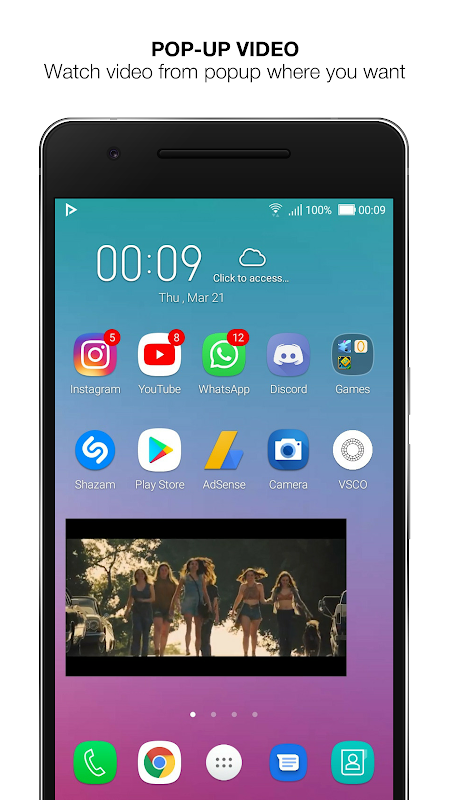
You can play any video in the pop-up window(popup) or background with Float App.
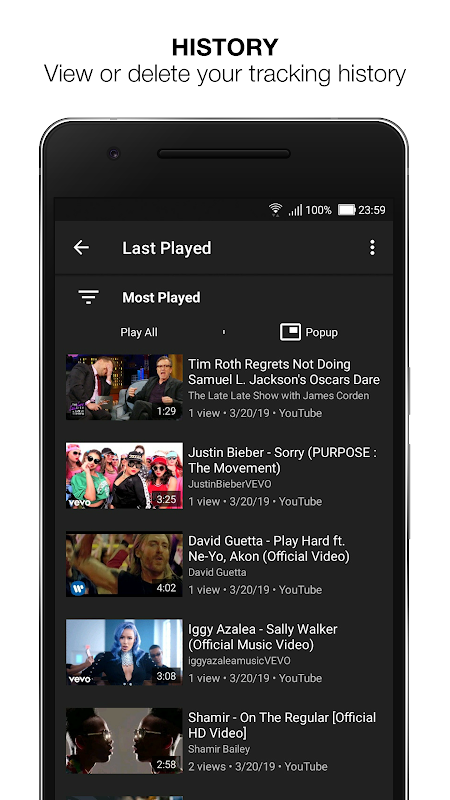
Also, it uses less data. You can create your own playlists, view your watch history, view
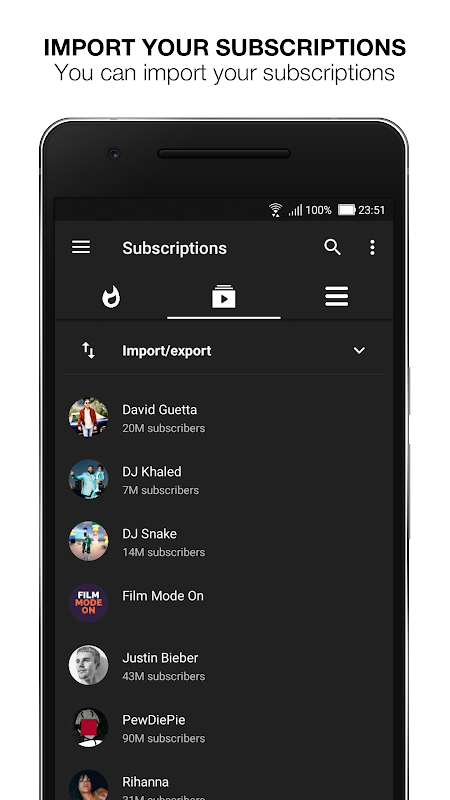
popular videos and import your subscriptions. You can get notified from new videos with
‘What is new?’ feature. If you want, you can use the application with 3 different themes. It
is simple to use and very functional.
Features.
1. Watch Youtube videos in the Pop-Up Window from Youtube
2. Play Youtube videos in background.
3. View your watch history.
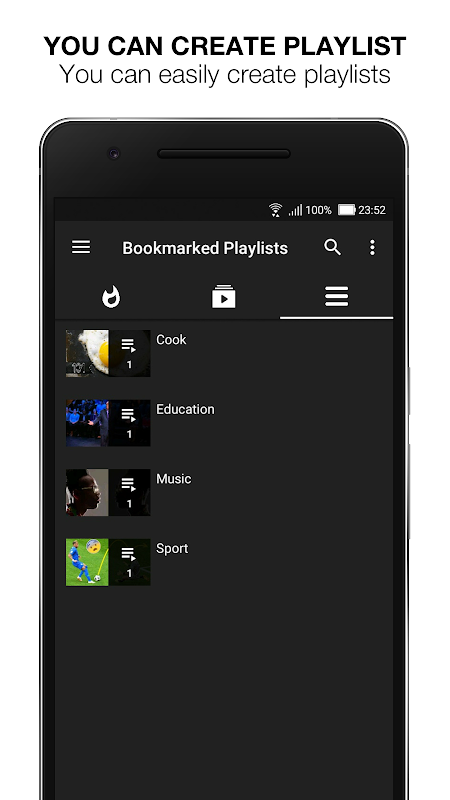
4. Create your own playlist.
5. Import your Youtube subscriptions.
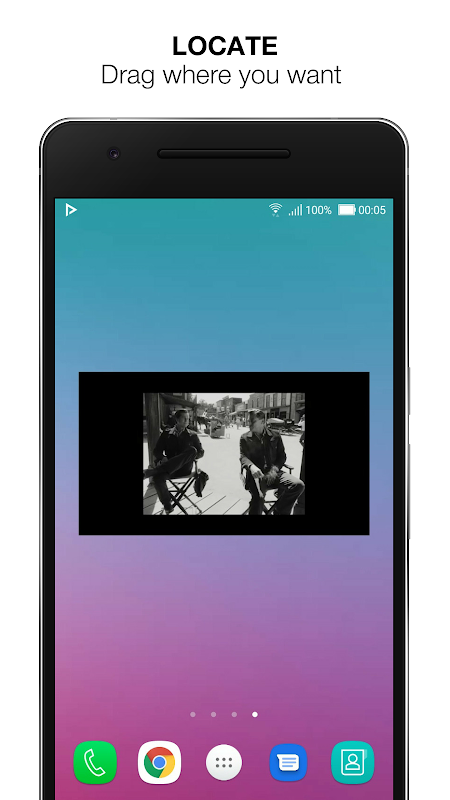
6. Resize Pop-Up Window.
7. Read video’s comments.
8. View related Youtube videos.
9. Change the video’s content country.
10. Use your favorite theme among 3 different themes.
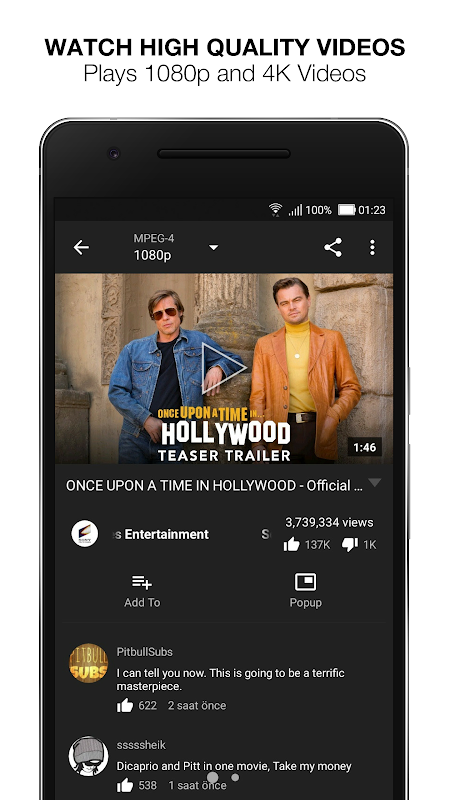
11. Watch videos in 1080p and 4K.
Please try the application for more features.
How use?
Step 1 : Open Float App and click on the desired video or open directly from YouTube
Step 2: Set your video quality, then select the action you want from the buttons below
Step 3 : If you want to play video in the pop-up window, you can watch the video by clicking the Pop-Up button.
Step 4 : If you want, you can view video comments and related videos on the Video page, and add the video to your playlist.
That is all,very simple
Ease of Use
Float App cannot store this data and 3.Party does not share in applications.
The Background Player feature has been deprecated because it violates Youtube Policies.
Float App does not contain unnecessary permissions.
Float App Absolutely and absolutely does not use your Youtube accounts
Thank you
BMT Team
bullmobiletools@gmail.com
For more applications, please visit our store page.
https://play.google.com/store/apps/dev?id=4996279994883720162
يمكنك تشغيل أي فيديو في النافذة المنبثقة (المنبثقة) أو الخلفية باستخدام تطبيق Float.
أيضا ، فإنه يستخدم بيانات أقل. يمكنك إنشاء قوائم التشغيل الخاصة بك ، وعرض سجل المشاهدة ، وعرض
مقاطع الفيديو الشائعة واستيراد اشتراكاتك. يمكنك الحصول على إشعار من مقاطع الفيديو الجديدة باستخدام
ما الجديد؟ إذا كنت تريد ، يمكنك استخدام التطبيق مع 3 سمات مختلفة. هذا
هو سهل الاستخدام وظيفية للغاية.
المميزات.
1. شاهد مقاطع فيديو Youtube في النافذة المنبثقة من Youtube
2. تشغيل أشرطة فيديو يوتيوب في الخلفية.
3. عرض تاريخ ساعتك.
4. إنشاء قائمة التشغيل الخاصة بك.
5. استيراد اشتراكات يوتيوب الخاصة بك.
6. تغيير حجم النافذة المنبثقة.
7. اقرأ تعليقات الفيديو.
8. مشاهدة أشرطة فيديو يوتيوب ذات الصلة.
9. قم بتغيير بلد محتوى الفيديو.
10. استخدم موضوعك المفضل بين 3 مواضيع مختلفة.
11. مشاهدة أشرطة الفيديو في 1080p و 4K.
يرجى محاولة التطبيق لمزيد من الميزات.
كيف يستعمل؟
الخطوة 1: افتح تطبيق Float وانقر على الفيديو المطلوب أو افتحه مباشرة من YouTube
الخطوة 2: قم بتعيين جودة الفيديو الخاص بك ، ثم حدد الإجراء الذي تريده من الأزرار أدناه
الخطوة 3: إذا كنت ترغب في تشغيل الفيديو في النافذة المنبثقة ، فيمكنك مشاهدة الفيديو بالنقر فوق الزر المنبثقة.
الخطوة 4: إذا كنت تريد ، يمكنك عرض تعليقات الفيديو ومقاطع الفيديو ذات الصلة على صفحة الفيديو ، وإضافة الفيديو إلى قائمة التشغيل الخاصة بك.
هذا كل شيء ، بسيط جدا
سهولة الاستعمال
يتعذر على تطبيق Float تخزين هذه البيانات ولا يشارك 3.Party في التطبيقات.
تم إهمال ميزة "مشغل الخلفية" لأنها تنتهك سياسات Youtube.
لا يحتوي تطبيق Float على أذونات غير ضرورية.
تطبيق Float مطلقًا ولا يستخدم حساباتك على Youtube
شكرا لكم
فريق BMT
bullmobiletools@gmail.com
لمزيد من التطبيقات ، يرجى زيارة صفحة المتجر.
https://play.google.com/store/apps/dev؟id=4996279994883720162
معلومات إضافية
تاريخ التحديث
2020-01-22الإصدار
2.0cالحجم
7.53 ميجابايتالمطور
Bull Mobile Toolsbullmobiletools@gmail.com
تصنيف المحتوى
Everyoneالحزمة
com.bullpresents.floatplayerالتوقيع (MD5)
b52cd04b61f46802cdc72364101a1da6