AppLock Pro: Fingerprint & Pin
4.0
١ مليونتنزيل
4.26 ميجابايتالحجم
لقطات الشاشة
عن التطبيق
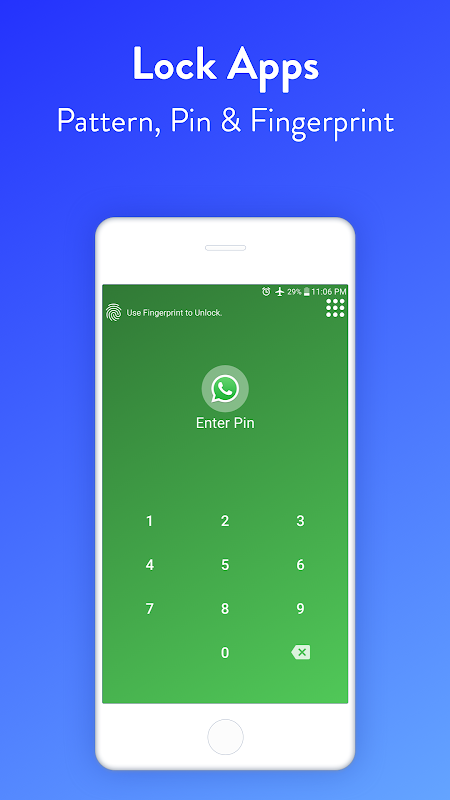
AppLock allows you to lock apps and protect your apps using Pattern , Pin , Fingerprint and crash screen.
---- Features -----
▶ Lock Apps / App Locker
AppLock allows you to lock apps like gallery , message apps , social apps and email apps with fingerprint , pin , pattern and crash screen.
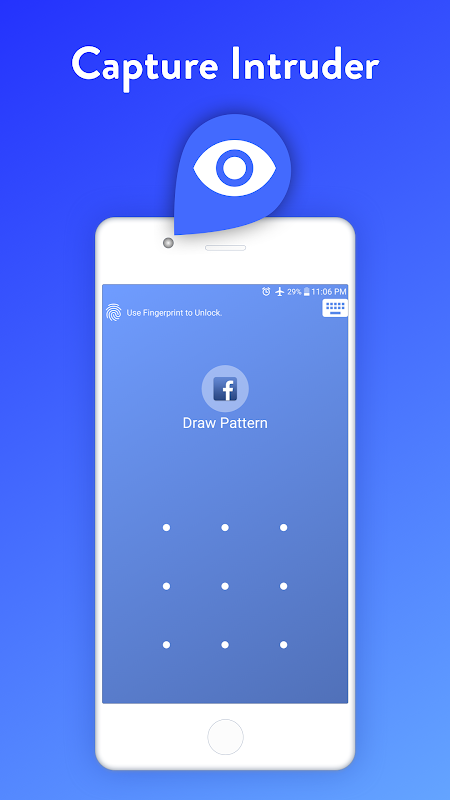
▶ Capture Intruder Picture
If someone tries to open locked apps with wrong password , AppLock will capture the pictuer of intruder from front camera and show you when you open AppLock.
▶ Lock Recent Apps
You can lock recent apps page so no one can see the content of recently used apps.
▶ Custom Settings
Use separate combination of locking methods with different pin or pattern for a specific apps.
▶ Crash screen
set crash screen for locked app , so no one can know that if an app is locked.
▶ Fingerprint Support
Use fingerprint as secondary , or use only fingerprint to un-lock apps.
▶ Improved Lock Engine
AppLock use two locking engines , default engine is fast and the "Improved Lock Engine" is battery efficient with more features that does not drain your battery.
▶ Turn Off AppLock
you can turn off AppLock completely , just go to app settings and turn off the app.
▶ Lock Timeout
you can to re-lock apps after some time [1-60] minuets , immediately or after screen off.
▶ Simple and Beautiful UI
Beautiful and simple UI so you can perform any task easily.
▶ Lock Screen Theme
lock screen changes color according to the app that you locked , every time when lock screen appears you will experience AppLock differently.
▶ Prevent Uninstall
To protect AppLock from uninstall you can go to AppLock setting and press "Prevent Force Close/Uninstall".
A: Select the app that you want to lock from App list, Lock the app and then click on Custom, Then enable "Custom Settings" and then change pin, and pattern.
A: Go to settings and click on “Prevent Force Close/Uninstall”. Then Lock your mobile Settings.
A: Yes it will start working, and your locked apps will be protected.
A: In the top right corner of AppLock From the drop-down menu select “Locked Apps”.
A: This option prevents someone from seeing your recent Opened Apps.
A: It depends on your mobile if your mobile has a fingerprint scanner and Android version 6.0 (Marshmallow) then finger print app lock method will also work.
A: Because you have not added AppLock in your Protected Apps list of your Huawei Mobile.
A: If you enable Crash screen for some application it will show a window with a message of “App Crashed” after long pressing "OK" you can go to lock screen.
A: In, App List lock your desired app Click on “custom” and enable custom settings, and then enable “Crash.”
A: First Remove AppLock from Device Admin from mobile settings or AppLock settings and then simply uninstall it.
• Accessibility Service: This app uses Accessibility services to enable "Improved Lock Engine" and stop battery drain.
• Draw Over Other Apps: AppLock uses this permission to draw lock screen on top of your locked app.
• Usage Access: AppLock uses this permission to detect if a lock app is opened.
• This app uses the Device Administrator permission : We use this permission to prevent other users from uninstalling this app so your locked content can be fully secured.
AppLock يسمح لك لقفل التطبيقات وحماية تطبيقاتك باستخدام نمط، دبوس، بصمات الأصابع وتحطم الشاشة.
---- الميزات -----
▶ قفل تطبيقات / التطبيق الخزانة
AppLock يسمح لك لقفل تطبيقات مثل معرض، التطبيقات الرسالة، التطبيقات الاجتماعية وتطبيقات البريد الإلكتروني مع بصمات الأصابع، دبوس، ونمط وشاشة الحادث.
▶ التقاط صورة دخيل
إذا حاول شخص ما لفتح التطبيقات مؤمن مع كلمة مرور خاطئة، سوف AppLock التقاط PICTUER من الدخيل من الكاميرا الأمامية وتظهر لك عند فتح AppLock.
▶ قفل التطبيقات الأخيرة
يمكنك قفل صفحة التطبيقات الحديثة لذلك لا أحد يستطيع أن يرى محتوى التطبيقات المستخدمة مؤخرا.
إعدادات مخصصة ▶
استخدام مزيج مستقل لتأمين الطرق مع دبوس مختلف أو نمط لتطبيقات محددة.
شاشة ▶ تحطم
وضع الشاشة تحطم لبرنامج مقفل، لذلك لا أحد يستطيع أن يعرف أنه إذا تم تأمين التطبيق.
دعم ▶ بصمات الأصابع
استخدام بصمة كما الثانوي، أو استخدام بصمة الوحيدة لتطبيقات برنامج الأمم المتحدة للتأمين.
▶ تحسين محرك قفل
AppLock استخدام اثنين من محركات قفل، والمحرك الافتراضي هو سريع و"تحسين قفل المحرك" هو بطارية فعالة مع المزيد من الميزات التي لا تستنزف البطارية.
▶ إيقاف AppLock
يمكنك إيقاف AppLock تماما، واذهبوا إلى إعدادات التطبيق وإيقاف التطبيق.
▶ قفل مهلة
يمكنك إعادة قفل التطبيقات بعد مرور بعض الوقت [1-60] بعدة دقائق، وعلى الفور أو بعد الشاشة.
▶ UI بسيطة وجميلة
اجهة جميلة وبسيطة حتى تتمكن من تنفيذ أي مهمة بسهولة.
▶ قفل الشاشة موضوع
تغيير قفل الشاشة وفقا للون التطبيق الذي كنت مؤمنا، في كل مرة عندما تظهر شاشة القفل سوف تواجه AppLock بشكل مختلف.
▶ منع إلغاء
لحماية AppLock من إلغاء يمكنك الذهاب إلى إعداد AppLock ثم اضغط على "منع قوة إغلاق / إلغاء".
الأسئلة الشائعة حول
معلومات إضافية
تاريخ التحديث
2026-06-23الإصدار
2.52الحجم
4.26 ميجابايتالمطور
GameMaltgullustudios@gmail.com
تصنيف المحتوى
Everyoneالحزمة
com.gamemalt.applocker.proالتوقيع (MD5)
411c2c926eae763931164d0d9d0d2ba5