0.0
٥٩١تنزيل
1.55 ميجابايتالحجم
موقّع وموثوق
لقطات الشاشة
عن التطبيق
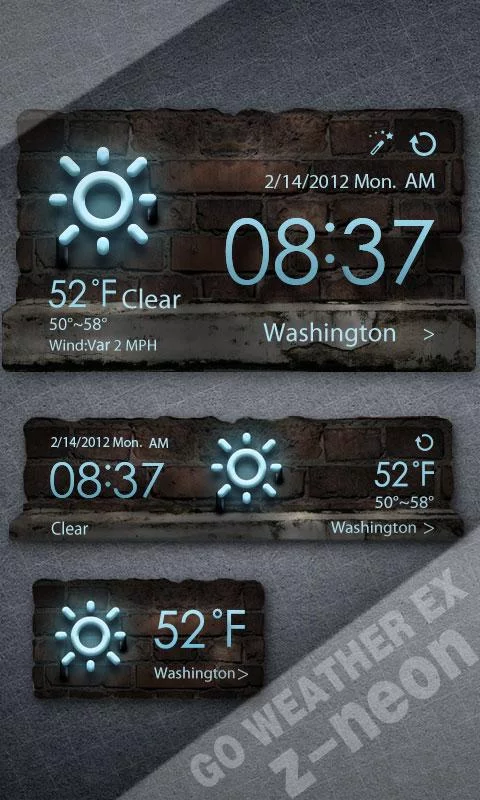
Z-Neon Theme, supports 4*1, 4*2, 2*1 sizes. It delivers the most accurate weather information from anywhere at any time.
<b><a href="https://play.google.com/store/apps/details?id=com.gau.go.launcherex.gowidget.weatherwidget&referrer=utm_source%3Dthemedescription%26utm_medium%3DHyperlink%26utm_campaign%3Dthemedescription">GO Weather EX</a></b> - To Be Your Best Weather Prophet Forever!
◆How to apply the theme?
1. Make sure you have installed the latest version of GO Weather EX
2. Open the GO Weather EX->Press the themes->Click the "Installed" Tab->Click the "Widget"
3. Find the theme you have installed in "Widget" and click to apply it.
4. GO to the launcher homescreen and add the goweatherex system widget
◆How to add a Systerm Widget?
1. Press “menu”- choose “add”-choose “Widgets”-Find GO Weather EX
2. Make sure you have enough space for placing the widgets
</div> <div jsname="WJz9Hc" style="display:none">Z-موضوع النيون، ويدعم 4 * 1، 4 * 2، 2 * 1 الأحجام. ايصاله المعلومات الطقس أدق من أي مكان في أي وقت.
GO الطقس EX - أن يكون لديك أفضل الطقس النبي للأبد!
◆ كيفية تطبيق السمة؟
1. تأكد من أنك قمت بتثبيت أحدث إصدار من GO EX الطقس
2. افتح GO الطقس السابقين> اضغط على themes-> انقر على "تثبيت" التبويب> انقر على "القطعة"
3. البحث عن موضوع كنت قد قمت بتثبيت في "القطعة"، وانقر لتطبيقه.
4. الذهاب إلى الشاشة الرئيسية قاذفة وإضافة عنصر واجهة المستخدم نظام goweatherex
◆ كيفية إضافة SYSTERM القطعة؟
1. اضغط على "القائمة" - اختيار "إضافة" "القطع" -choose -Find GO EX الطقس
2. تأكد من وجود مساحة كافية لوضع الحاجيات</div> <div class="show-more-end">
معلومات إضافية
تاريخ التحديث
2020-05-18الإصدار
1.0الحجم
1.55 ميجابايتالمطور
GO Launcher EXgoapps5@gmail.com
تصنيف المحتوى
Everyoneالحزمة
com.gau.go.weatherex.systemwidgetskin.zneonskin_newالتوقيع (MD5)
f6c05adb1428a406b3bb5ebbb32f9d99