5.0
١٢ ألفتنزيل
39.35 كيلوبايتالحجم
موقّع وموثوق
لقطات الشاشة
عن التطبيق
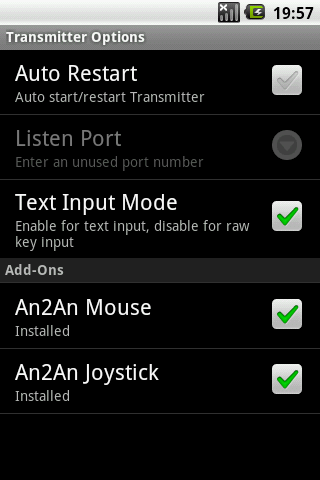
Add joystick support to An2An Remote, to redirect analog joystick actions from one Android device to another Android device through Bluetooth or WiFi/Network. Turn your wired joystick into an wireless joystick. Support connected physical joystick and virtual joystick (e.g. GameKeyboard Joystick Mode, Sixaxis Controller System Mode, Moga Universal Driver Gamepad Mode). This is not a standalone app and there is no separated icon after installed.
Recommend to check compatibility with An2An Remote (Demo) before purchase.
This app is still under development and may have stability issues, so please contact us for any problem (android.locnet@gmail.com).
Benefits
========
- Some devices are not compatible with certain joysticks, and some keyboard/gamepad solution (e.g. Wiimote, Sixaxis) only work with certain types of device, this allows using a compatible device as a "bridge" so you can use those input solution with any device.
Requirements
============
- An2An Remote (Demo) 3.0.0+ (https://play.google.com/store/apps/details?id=com.locnet.an2an.demo)
- Transmitter devices with OS which supports analog joystick (typically OS 3.1+ devices)
- Rooted Receiver devices with OS which supports analog joystick (typically OS 3.1+ devices)
Instructions
============
1. Install and setup An2An Remote
2. Install An2An Joystick to Transmitter device, restart transmitter app if running.
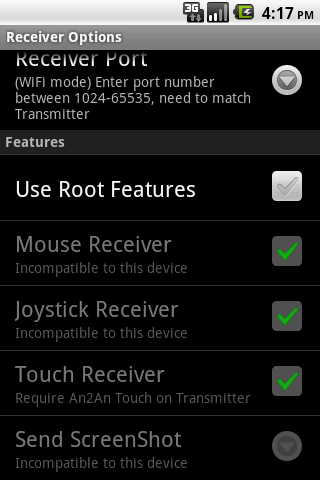
3. Enable "Use Root Features" on Receiver device, and grant root permission.
4. Connect An2An Remote normally and start using.
معلومات إضافية
تاريخ التحديث
2018-06-02الإصدار
1.0.1الحجم
39.35 كيلوبايتالمطور
Locnetandroid.locnet@gmail.com
تصنيف المحتوى
Everyoneالحزمة
com.locnet.an2an.joystickالتوقيع (MD5)
cbbbec6e772e7839ba6c704e188f5aa1