ToDo List Task Manager -Pro
0.0
١٠ ألفتنزيل
867.33 كيلوبايتالحجم
لقطات الشاشة
عن التطبيق
ToDo Task Manager -Pro is a powerful to-do task management tool with a simple and completely customizable user interface. It allows you to quickly and easily track and organize all of your to-do tasks.
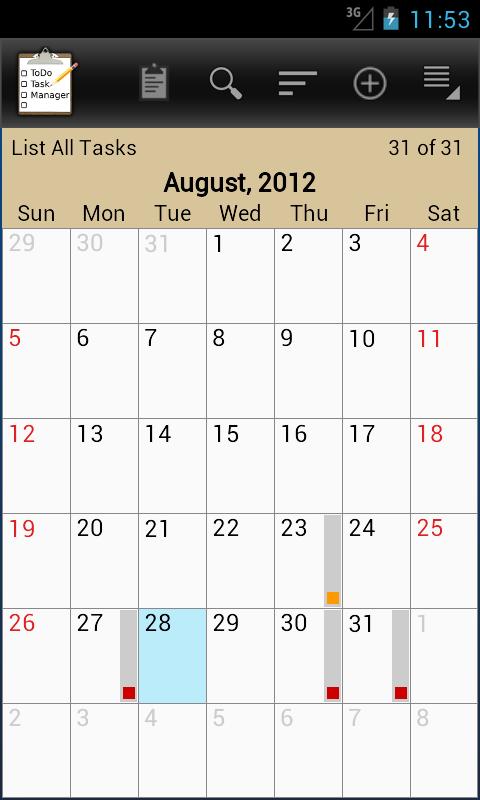
Create custom filters so you can easily organize and switch between to-do lists. Use the calendar month view for a quick way to see all of your upcoming tasks.
Some Features Include:
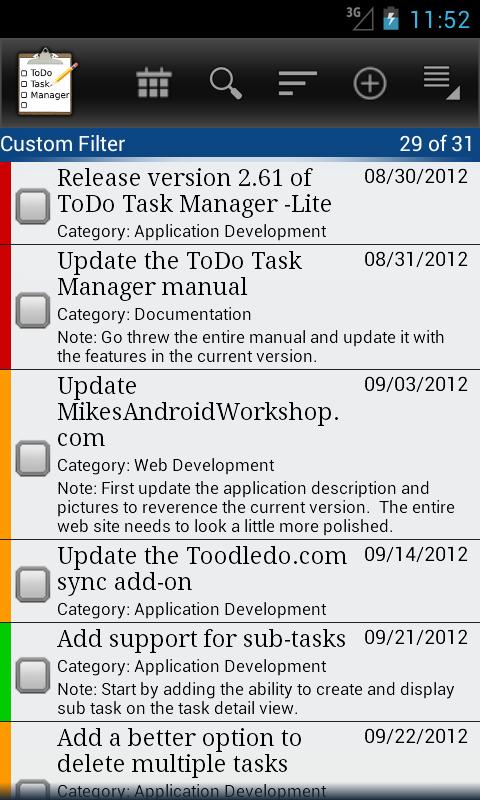
● Customizable to-do list view.
● Customizable sorting and filtering.
● Save and name custom sort filter.
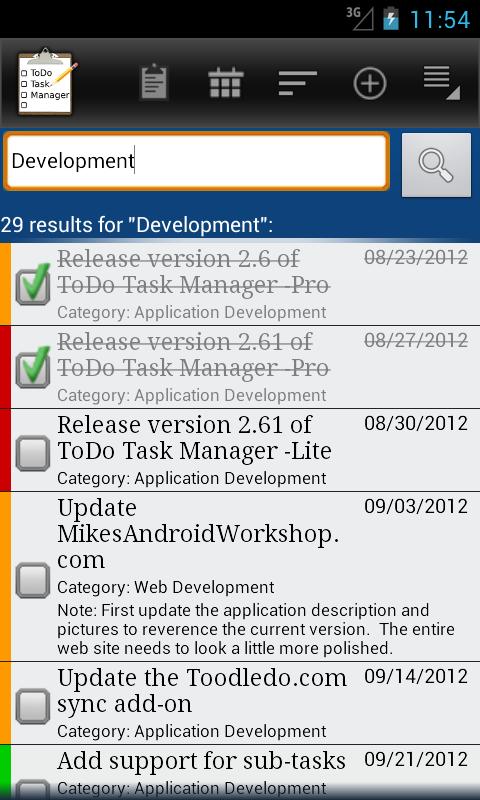
● Optional quick search.
● Calendar month view.
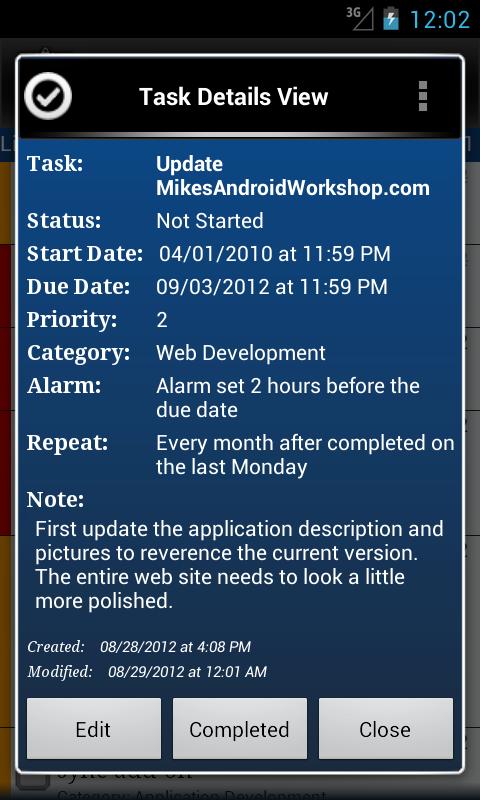
● A view details screen that automatically creates links to locations, websites, email addresses, and phone numbers.
● Repeating tasks.
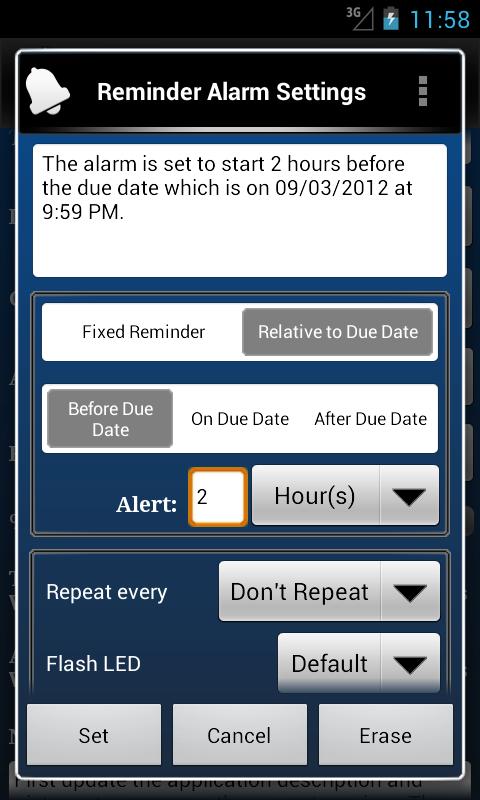
● Repeating reminder alarms.
● Ability to snooze the alarm.
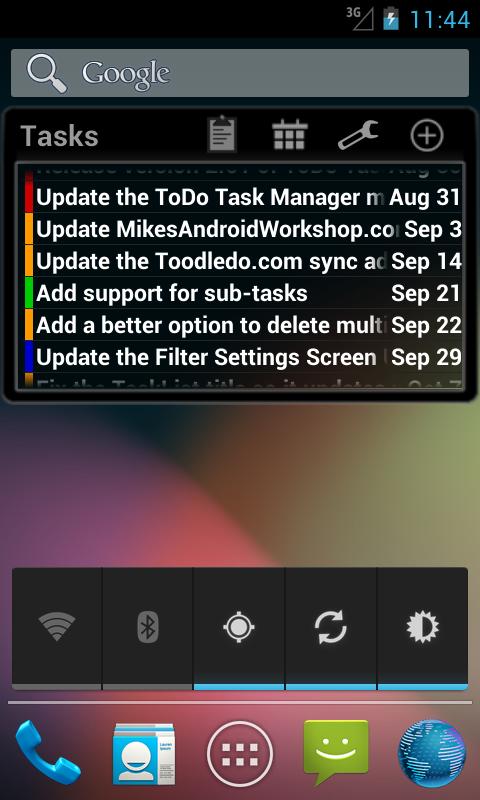
● Customizable home screen widget.
● Export todo task list as TXT, XML, CSV or Outlook CSV files to the SD card.
● Import XML and CSV file.
● Automatically backup to-do tasks to the SD card on a fixed schedule.
● Send a to-do task to the Google calendar.
● Optional microphone buttons for speech to text input.
● Selectable themes.
● Online user manual.
Visit the ToDo Task Manager website at www.mikesandroidworkshop.com for more information.
Frequently Asked Questions:
Q: How can I automatically dial a phone number entered in a task?
A: Type in a phone number in either the contact field or in the note field to display that phone number as a link when viewing it on either the 'Task Detail View' screen or the 'Alarm Notification detail' screen. Clicking on the link will automatically dial that number.
Q: How do I create a custom filter?
A: To save custom filters press the phones menu button while you are on the 'Sort and Filter Settings' window. A menu will pop up. Select 'Save Filter Settings As..'. Then type in the new filter name and press OK.
Q: Can ToDo Task Manager sync with Google?
A: To add a task to your calendar long press on a task in the task list until a context menu pops up. Then select the option 'Add to Google Calendar'.
The 'Toodledo.com Sync Add-on -Beta' add-on will sync with the web site Toodledo.com. On the Toodledo website there are third party tools to sync will Google ( <a href="https://www.google.com/url?q=https://www.google.com/url?q%3Dhttp://www.toodledo.com/widget/google_gadget.php%26sa%3DD%26usg%3DAFQjCNEq-V9v4O8mzqkL0UYF87WmdbrfUA&sa=D&usg=AFQjCNE2k7RItMgs42KoTQ0b5MDMb6KHuA" target="_blank">http://www.toodledo.com/widget/google_gadget.php</a> ). This should allow you to sync my application with Google indirectly.
Q: Can ToDo Task Manager sync with Outlook?
A: My application does not directly sync with Outlook. It provides the option to import and export tasks to Outlook using a CSV file.
The 'Toodledo.com Sync Add-on -Beta' add-on will sync with the web site Toodledo.com. On the Toodledo website there are third party tools to sync will Outlook ( <a href="https://www.google.com/url?q=https://www.google.com/url?q%3Dhttp://www.toodledo.com/connect_outlook.php%26sa%3DD%26usg%3DAFQjCNE6OC8Q3Biw6uqSk1jqvGYfg8m4IQ&sa=D&usg=AFQjCNFd4XdYeUmBRfH1JcJix_U1zI-0CQ" target="_blank">http://www.toodledo.com/connect_outlook.php</a> ). This should allow you to sync my application with Outlook indirectly.
Q: How can I search for a specific task in the to-do list?
A: The search feature is turned off by default. In the application settings select 'Searching, Sorting, and Filtering'. Then check the 'Quick Search On/Off' setting.
When quick search is turned on my application will filter the task list based on the text typed in the text field at the bottom of the task list screen.
Q: How do I create a new category?
A: To create a new category simple type in the new category in the category field on the task edit screen. The button next to the category field displays all of the existing categories in all of the other tasks.
Q: How can I enter additional information in a new task without having to click on the task in the task list?
A: Click on the add task button without entering a task title in the text entry field to automatically open the task creation screen. You can also set default values for most of the fields.
</div> <div jsname="WJz9Hc" style="display:none">تودو مهمة مدير برو هو قوية تأليف لأداة إدارة المهام مع واجهة مستخدم بسيطة وقابلة للتخصيص تماما. فإنه يسمح لك بسرعة وبسهولة لتتبع وتنظيم كل ما تبذلونه من المهام من المهام.
إنشاء فلاتر مخصصة بحيث يمكنك بسهولة تنظيم والتبديل بين القوائم تأليف ل. استخدام شاشة عرض الشهر التقويم عن طريقة سريعة لمشاهدة كافة المهام الخاص بك المقبلة.
بعض السمات ما يلي:
● تخصيص تأليف لعرض القائمة.
● تخصيص الفرز والتصفية.
● احفظ واسم عامل تصفية فرز مخصص.
● البحث السريع الاختياري.
● التقويم عرض الشهر.
● شاشة عرض التفاصيل التي تخلق روابط لمواقع، والمواقع وعناوين البريد الإلكتروني، وأرقام الهواتف تلقائيا.
● تكرار المهام.
● تكرار الإنذارات تذكير.
● القدرة على تعطيل التنبيه.
● تخصيص القطعة الشاشة الرئيسية.
● تصدير قائمة المهام TODO كما TXT، XML، CSV أو ملفات CSV Outlook إلى بطاقة SD.
● استيراد XML وملف CSV.
● النسخ الاحتياطي تلقائيا إلى القيام بمهام لبطاقة SD على جدول زمني محدد.
● إرسال مهمة إلى القيام إلى تقويم Google.
● أزرار الميكروفون الاختياري للخطاب لإدخال النص.
● اختيار المواضيع.
● اون لاين دليل المستخدم.
زيارة موقع تودو إدارة المهام في www.mikesandroidworkshop.com لمزيد من المعلومات.
أسئلة وأجوبة:
س: كيف يمكنني تلقائيا طلب رقم الهاتف المدخل في مهمة؟
A: اكتب في رقم الهاتف سواء في مجال الاتصال أو في حقل الملاحظات لعرض هذا رقم الهاتف كارتباط عندما تشاهده سواء على 'المهام عرض التفاصيل' الشاشة أو شاشة 'التفاصيل كود إنذار'. سوف النقر على الرابط الطلب تلقائيا هذا العدد.
س: كيف يمكنني إنشاء عامل تصفية مخصص؟
A: اضغط لحفظ عوامل تصفية مخصصة على زر القائمة الهواتف أثناء وجودك على 'ترتب وتصنف إعدادات' نافذة. A القائمة سوف يطفو على السطح. اختر 'حفظ الإعدادات تصفية و..'. ثم اكتب في اسم مرشح جديد واضغط على موافق.
س: هل يمكن تودو المصاحبه مهمة مدير مع جوجل؟
ج: لإضافة مهمة إلى الصحافة التقويم الخاص بك طويل على مهمة في قائمة المهام حتى انبثاق قائمة سياق المباراة. ثم حدد الخيار "إضافة إلى تقويم Google".
و'Toodledo.com مزامنة إضافة على اساس بيتا' الإضافة سوف مزامنة مع موقع Toodledo.com على شبكة الإنترنت. على موقع Toodledo هناك أدوات طرف ثالث لمزامنة جوجل سوف (<a href="https://www.google.com/url?q=http://www.toodledo.com/widget/google_gadget.php&sa=D&usg=AFQjCNEq-V9v4O8mzqkL0UYF87WmdbrfUA" target="_blank">http://www.toodledo.com/widget/google_gadget.php</a>). هذا يجب أن تسمح لك لمزامنة التطبيق الخاص بي مع جوجل بشكل غير مباشر.
س: هل يمكن تودو المصاحبه مهمة مدير مع Outlook؟
ج: التطبيق لا مزامنة مباشرة مع Outlook. ويوفر خيار لاستيراد وتصدير المهام إلى Outlook باستخدام ملف CSV.
و'Toodledo.com مزامنة إضافة على اساس بيتا' الإضافة سوف مزامنة مع موقع Toodledo.com على شبكة الإنترنت. على موقع Toodledo هناك أدوات طرف ثالث لمزامنة سيقوم Outlook (<a href="https://www.google.com/url?q=http://www.toodledo.com/connect_outlook.php&sa=D&usg=AFQjCNE6OC8Q3Biw6uqSk1jqvGYfg8m4IQ" target="_blank">http://www.toodledo.com/connect_outlook.php</a>). هذا يجب أن تسمح لك لمزامنة التطبيق الخاص بي مع Outlook بشكل غير مباشر.
س: كيف يمكنني البحث عن مهمة محددة في لائحة تأليف ل؟
A: يتم تشغيل ميزة البحث إيقاف افتراضيا. في تطبيق تحديد إعدادات 'البحث والفرز والتصفية ". ثم على خانة 'بحث سريع تشغيل / إيقاف' الإعداد.
وعندما يتم تشغيل بحث سريع على طلبي تحديد قائمة المهام استنادا إلى النص المكتوب في حقل النص في الجزء السفلي من الشاشة القائمة المهمة.
س: كيف أقوم بإنشاء فئة جديدة؟
ج: لإنشاء فئة نوع بسيط جديدة في فئة جديدة في مجال التصنيف على الشاشة تحرير المهمة. الزر بجوار حقل فئة يعرض كل فئة من الفئات الموجودة في كل من المهام الأخرى.
س: كيف يمكنني إدخال معلومات إضافية في مهمة جديدة دون الحاجة إلى النقر على المهمة في قائمة المهام؟
ج: انقر على زر الإضافة المهمة دون إدخال عنوان المهمة في حقل إدخال النص لفتح تلقائيا شاشة إنشاء المهمة. يمكنك أيضا تعيين القيم الافتراضية لمعظم الحقول.</div> <div class="show-more-end">
معلومات إضافية
تاريخ التحديث
2017-08-07الإصدار
2.4الحجم
867.33 كيلوبايتالمطور
Clearhubmikesandroidworkshop@gmail.com
تصنيف المحتوى
Everyoneالحزمة
com.mikesandroidworkshop.android.taskmanagerالتوقيع (MD5)
9a3d939103667d606b564fe525033c34