Tesla Mask Icon Pack
5.0
٥٩٨تنزيل
1.91 ميجابايتالحجم
موقّع وموثوق
لقطات الشاشة
عن التطبيق
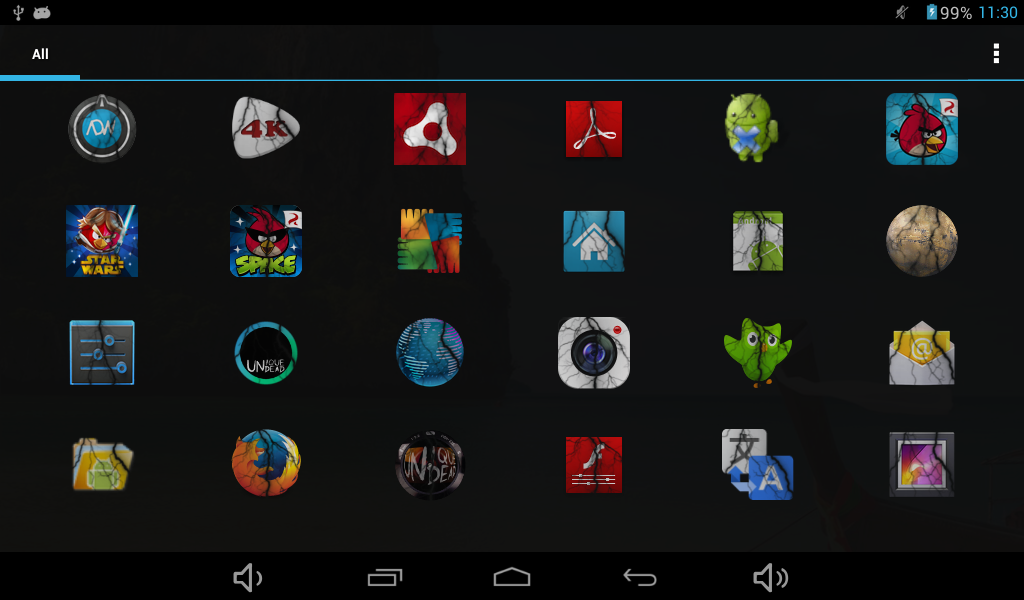
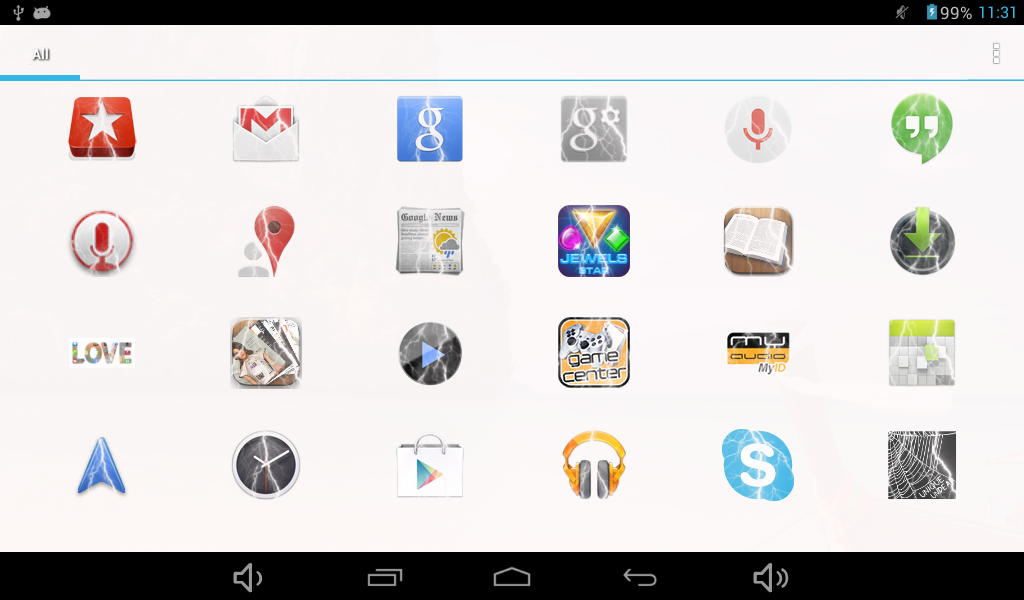
Tesla mask icon pack is an icon changer from Unique Undead for Apex, Holo, Nova, ADW, Aviate, Themer and Smart launchers.
Icon packs are excellent solutions to further personalize your android device.
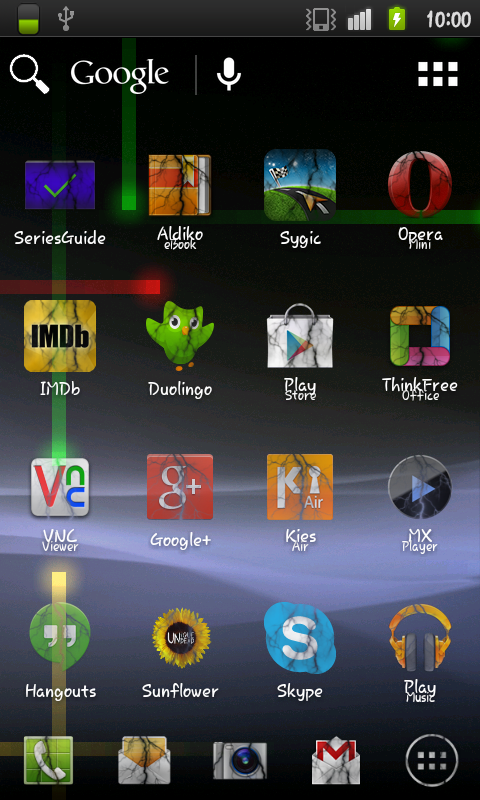
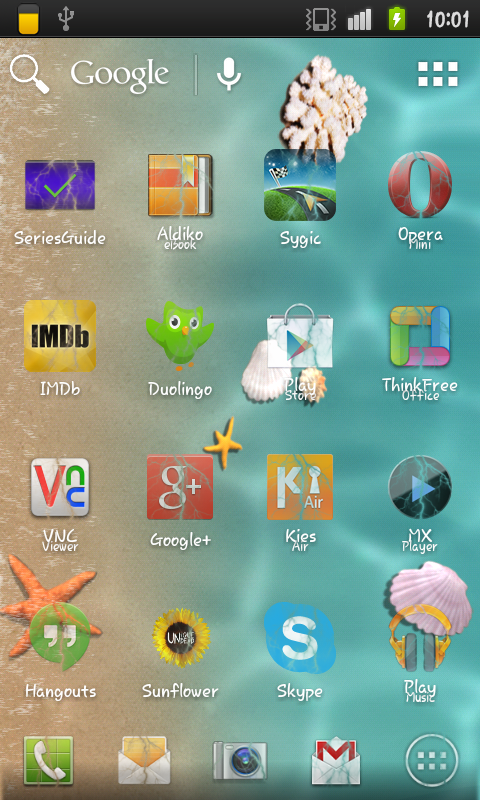
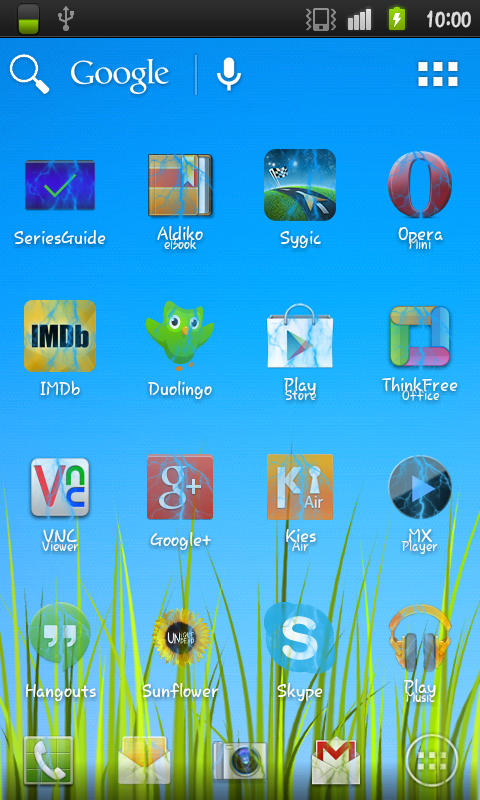
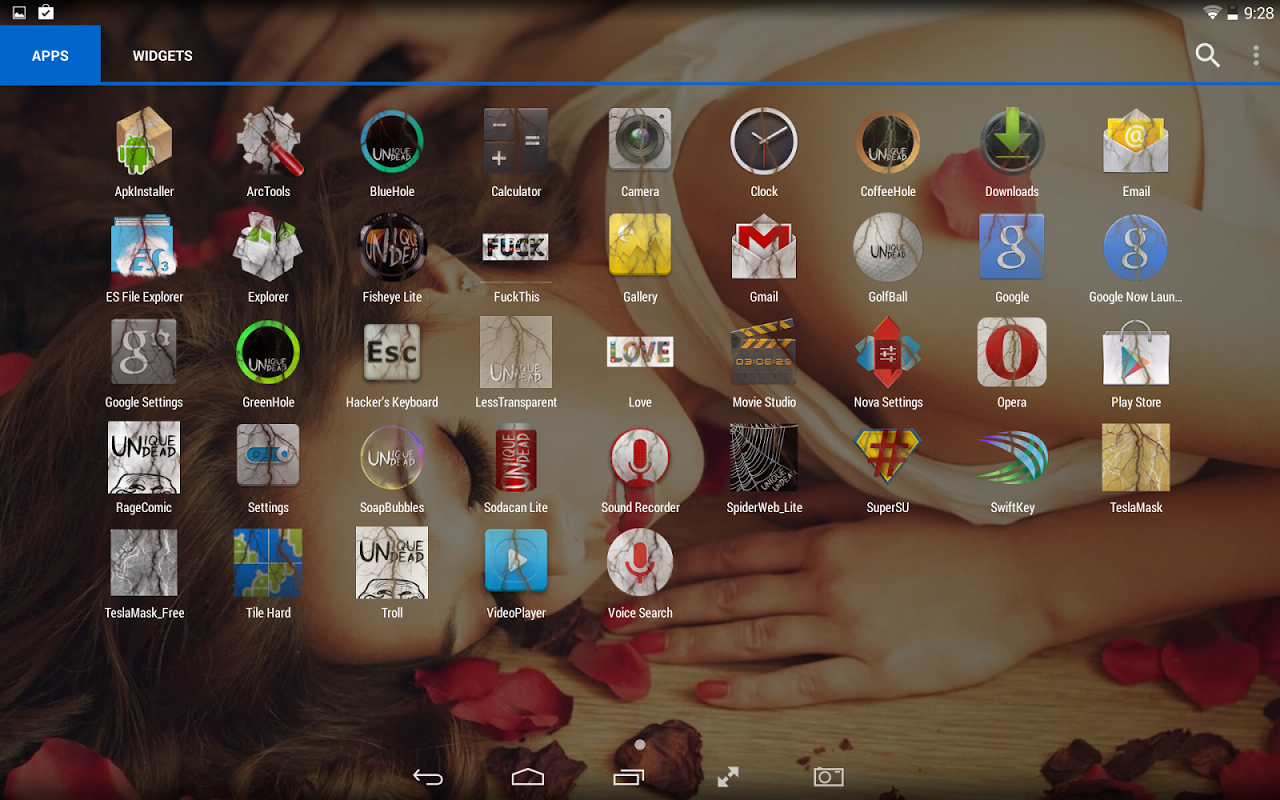
This icon pack features icon masks and overlays to mask your boring icons with a lightning mask.
If you are interested in theming your device, we are offering numerous icon packs and icon changers, check out our <a href="https://play.google.com/store/apps/developer?id=Unique+Undead">application store</a>. Our icon packs contain thousands of selected icons with a large list of connected activities, thus most of the changes are made automatically but you still have the option to manually change one of your icons without applying a whole pack.
Our icon changers don't need such database, because the change is applied on all of your icons fully automatically.
We currently support ADW, Apex, Aviate and Nova theming with all of our icon packs and changers, with additional support in some packs for Themer and GO (each description contains the list of the supported launchers).
To apply the pack, you need to use one of the following <b>compatible launchers</b>:
<b>ADWLauncher</b>:
1. Open ADW Config
2. Click on ADWSettings
3. Click on Themes
4. Select the desired icon pack
5. Apply
<b>Apex Launcher</b>:
1. Open Apex Settings
2. Click on Theme settings
3. Select the desired icon pack
4. Apply
<b>Aviate</b>:
1. Go to Spaces
2. Click on Settings
3. Click on Icon pack
4. Select the desired icon pack
<b>Nova Launcher</b>:
1. Open Nova Settings
2. Click on Look and feel
3. Click on Icon Theme
4. Select the desired icon pack
<b>Themer</b>:
1. Open Themer Settings
2. Click on Manage App Drawer
3. Click on Set Icon Pack
4. Select the desired icon pack
<b>Holo Launcher</b>:
1. Launcher settings
2. Click on Appearance Settings
3. Click on Icon pack
4. Select the desired icon pack
<b>Smart Launcher 2</b>:
1. Menu
2. Preferences
2. Click on Settings icon next to Theme
3. Click on Icon pack in the DRAWER group
4. Select the desired icon pack
For more help, check out our tutorial videos on youtube:
Applying a whole pack:
<a href="https://www.google.com/url?q=https://www.google.com/url?q%3Dhttps://www.youtube.com/watch?v%253DbMsi7XhsjEs%26sa%3DD%26usg%3DAFQjCNFVBYE7FUHZxLlh3SuMUjYvGqeEnA&sa=D&usg=AFQjCNEfLCX_n9gEHmMXaAjve44va0x2kQ" target="_blank">https://www.youtube.com/watch?v=bMsi7XhsjEs</a>
All feedbacks are welcome, contact us at <a href="mailto:unique.undead@gmail.com">unique.undead@gmail.com</a>.
Follow our activities on
Facebook: <a href="https://www.google.com/url?q=https://www.google.com/url?q%3Dhttps://www.facebook.com/uniqueundead%26sa%3DD%26usg%3DAFQjCNH4-9kb0o72x1TOHNNnJmAc7dYKJw&sa=D&usg=AFQjCNHW-97hawxqOHiyP0xsVKY-DrAR8Q" target="_blank">https://www.facebook.com/uniqueundead</a>
Google+: <a href="https://www.google.com/url?q=https://www.google.com/url?q%3Dhttps://plus.google.com/%252BUniqueundead%26sa%3DD%26usg%3DAFQjCNEZ2rh5UgDCxKKpiXKfz2HOmCo64g&sa=D&usg=AFQjCNEqQKVd2l0lVDzPmQ8jfHDLwvs3Wg" target="_blank">https://plus.google.com/+Uniqueundead</a>
Thank you for your support and We hope that you'll be pleased with <b>Tesla Mask Pack </b>!
</div> <div jsname="WJz9Hc" style="display:none">تسلا حزمة رمز القناع هو مغير رمز من فريد أوندد للقمة، هولو، نوفا، ADW، طر، Themer وقاذفات الذكية.
حزم رمز وحلول ممتازة لتخصيص مزيد من جهاز الروبوت الخاص بك.
هذه حزمة رمز تتميز أقنعة رمز وتراكب لإخفاء الرموز مملة مع قناع البرق.
إذا كنت مهتما في تطبيق السمات جهازك، ونحن نقدم العديد من حزم رمز ومغير الرمز، تحقق من <a href="https://play.google.com/store/apps/developer؟id=Unique+Undead"> تطبيق متجر </a>. حزم رمز لدينا تحتوي على الآلاف من الرموز المحددة مع قائمة كبيرة من الأنشطة المتصلة، وبالتالي تتم معظم التغييرات تلقائيا ولكن لا يزال لديك خيار لتغيير واحد من الرموز الخاصة بك يدويا دون تطبيق حزمة كاملة.
مغير رمز لدينا لا تحتاج هذه قاعدة البيانات، ليتم تطبيق التغيير على كافة الرموز الخاصة بك تلقائيا تماما.
نقوم حاليا بدعم ADW، ذروه، طر ونوفا تطبيق السمات بكل حزم رمز لدينا ومغير، مع دعم إضافي في بعض حزم لThemer وGO (كل وصف يحتوي على قائمة من قاذفات معتمدة).
تطبيق حزمة، تحتاج إلى استخدام أحد الإجراءات التالية قاذفات متوافقة :
ADWLauncher :
1. فتح ADW التكوين
2. اضغط على ADWSettings
3. اضغط على ثيمات
4. حدد حزمة رمز المطلوب
5. تطبيق
أبيكس قاذفة :
1. إعدادات المفتوحة أبيكس
2. انقر على إعدادات موضوع
3. حدد حزمة رمز المطلوب
4. تطبيق
طر :
1. الذهاب إلى فضاءات
2. انقر على إعدادات
3. انقر على أيقونة حزمة
4. حدد حزمة رمز المطلوب
نوفا قاذفة :
1. إعدادات المفتوحة نوفا
2. اضغط على الشكل والمظهر
3. انقر على أيقونة موضوع
4. حدد حزمة رمز المطلوب
Themer :
1. إعدادات المفتوحة Themer
2. انقر على إدارة التطبيقات درج
3. اضغط على مجموعة أيقونة حزمة
4. حدد حزمة رمز المطلوب
هولو قاذفة :
1. ضبط قاذفة
2. انقر على إعدادات المظهر
3. انقر على أيقونة حزمة
4. حدد حزمة رمز المطلوب
الذكية قاذفة 2 :
1. القائمة
2. تفضيلات
2. انقر على إعدادات رمز المقبل لموضوع
3. انقر على أيقونة حزمة في المجموعة DRAWER
4. حدد حزمة رمز المطلوب
لمزيد من المساعدة، وتحقق من مقاطع الفيديو التعليمية لدينا على يوتيوب:
تطبيق حزمة كاملة:
<a href="https://www.google.com/url?q=https://www.youtube.com/watch&sa=D&usg=AFQjCNGVk9htFmKGQw_Cx3lJId_pR4aFrQ" target="_blank">https://www.youtube.com/watch</a>؟v=bMsi7XhsjEs
جميع الردود هي موضع ترحيب، اتصل بنا على <a href="mailto:unique.undead@gmail.com">unique.undead@gmail.com</a>.
اتبع أنشطتنا على
الفيسبوك: <a href="https://www.google.com/url?q=https://www.facebook.com/uniqueundead&sa=D&usg=AFQjCNH4-9kb0o72x1TOHNNnJmAc7dYKJw" target="_blank">https://www.facebook.com/uniqueundead</a>
على + Google: <a href="https://www.google.com/url?q=https://plus.google.com/%2BUniqueundead&sa=D&usg=AFQjCNEZ2rh5UgDCxKKpiXKfz2HOmCo64g" target="_blank">https://plus.google.com/+Uniqueundead</a>
أشكركم على دعمكم ونتمنى أن عليك أن تكون راضية تسلا قناع حزمة !</div> <div class="show-more-end">
معلومات إضافية
تاريخ التحديث
2020-12-28الإصدار
1.1الحجم
1.91 ميجابايتالمطور
Unique Undeadunique.undead@gmail.com
تصنيف المحتوى
Everyoneالحزمة
com.uniqueundead.teslamaskالتوقيع (MD5)
074e477130f965e6b8e1f6f7672babbe