Waypoint Bearing GPS Guide
0.0
٥٠٠ ألفتنزيل
7.27 ميجابايتالحجم
موقّع وموثوق
لقطات الشاشة
عن التطبيق
هل تسلك طريقًا غير معبد؟ يحفظ تطبيق "دليل تحديد المواقع GPS" مواقع التخييم، وتقاطعات المسارات، ونقاط الشاطئ، أو حتى موقع سيارتك في موقف سيارات واسع أو على طول طريق غابي، ثم يرشدك للعودة باستخدام "إرشادات اتجاهية مباشرة" - وليس توجيهات قيادة أو مسارات محددة. تتطلب الخرائط اتصالاً بالإنترنت؛ وقد يتم تحميل المناطق التي شاهدتها سابقًا من ذاكرة التخزين المؤقت.
التطبيق مجاني ويحتوي على إعلانات.
الميزات الرئيسية
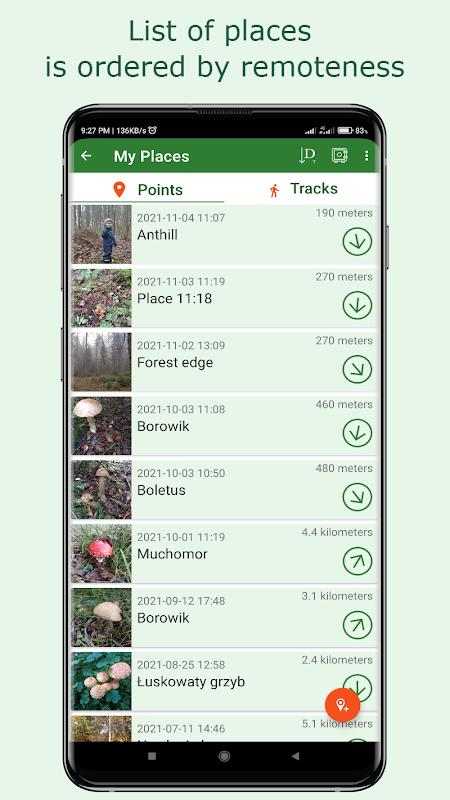
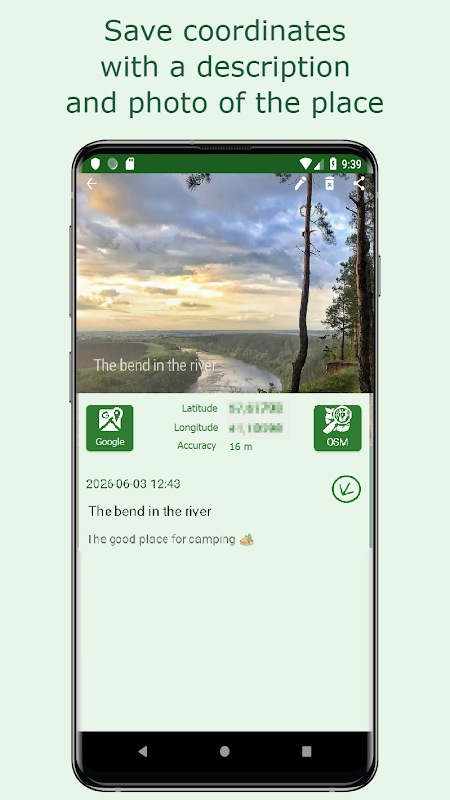
مصمم للاستخدام أثناء التنقل: أزرار كبيرة، وإدخال صوتي عند حفظ نقاط الطريق، وتوجيهات صوتية أثناء الإرشاد. يخزن كل موقع اسمًا وصورة وإحداثيات ودقة وملاحظة. يمكنك فرز نقاط الطريق حسب المسافة أو الوقت المحفوظ.
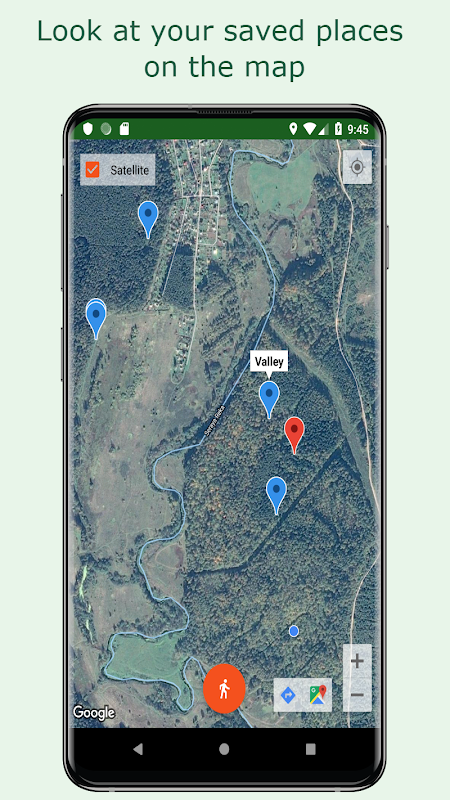
اختر وجهة من نقاط الطريق المحفوظة أو حدد واحدة على الخريطة بالضغط المطول حتى يظهر مؤشر أحمر.
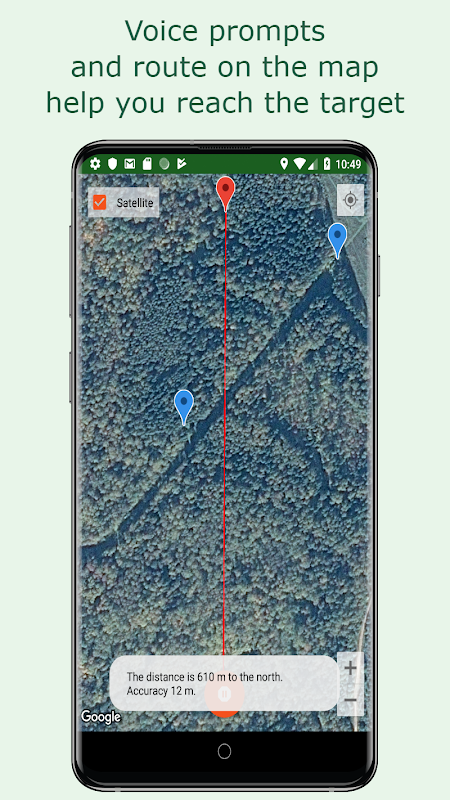
يبدأ الزر الذي يحمل رمز الشخص الإرشاد إلى نقطة الطريق المحددة. يشير سهم أحمر إلى الاتجاه نحو المكان المحدد بالمؤشر الأحمر.
يُستخدم زر البوصلة لضبط الخريطة مع اتجاه الشمال. عند تدوير الخريطة، يستمر السهم الأحمر في الإشارة إلى وجهتك.
تُبلغك التحديثات الصوتية بالمسافة والدقة ومتى يجب تعديل الاتجاه. تعمل هذه التنبيهات في الخلفية، سواءً كان الهاتف مقفلاً أو في جيبك - وهو أمر مفيد عند ارتداء القفازات أو تحت أشعة الشمس الساطعة.
أثناء التوجيه، يتم تسجيل مسارك وحفظه على الهاتف لتتمكن من رؤية كيفية وصولك إلى تلك النقطة.
اضغط على الزر نفسه مرة أخرى - الزر الذي يحمل رمز الشخصية المتحركة - لإيقاف التوجيه.
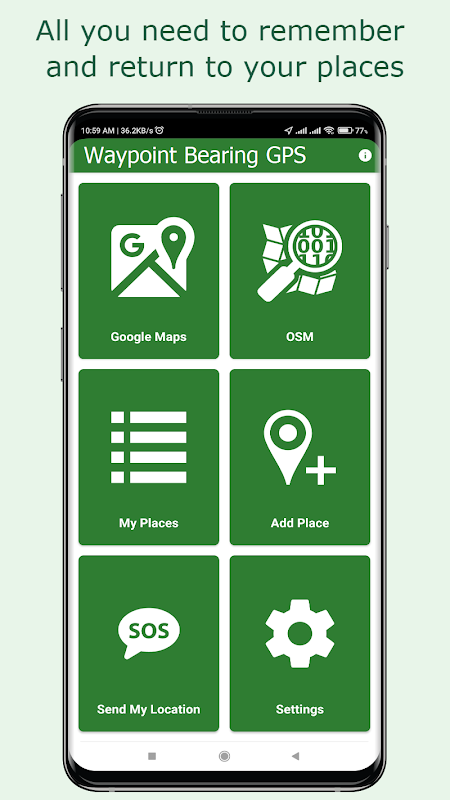
يمكنك إرسال موقع محفوظ عبر البريد الإلكتروني أو تطبيق المراسلة. سيتم فتح الملف المرفق تلقائيًا في تطبيق "Waypoint Bearing GPS" على جهاز المستلم إذا كان التطبيق مثبتًا.
يُنشئ زر "SOS" ("أنا هنا") رسالة قصيرة تحتوي على رابط لموقعك الحالي. على هاتف المستلم، سيفتح رابط من رسالة نصية قصيرة موقعك في هذا التطبيق إذا كان مثبتًا.
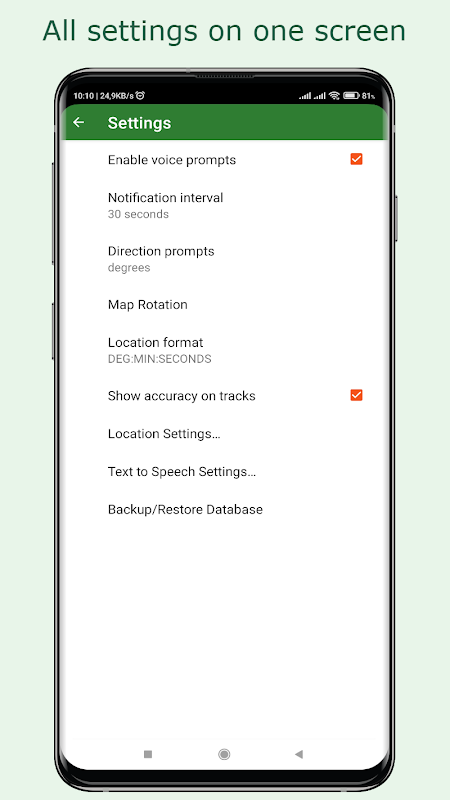
يتوفر النسخ الاحتياطي في مجلد على الجهاز أو في حسابك على Google Drive.
استيراد ملفات المسار (GPX). تصدير أو مشاركة المسارات المسجلة؛ نسخ احتياطي للبيانات بصيغة GPX لاستخدامها مع أدوات أخرى في الهواء الطلق.
هام
هذا التطبيق ليس موثوقًا تمامًا. قد يتعطل أو يُضلل في حال عدم وجود إشارة تحديد الموقع أو وجود تداخل. لا تعتمد على دليل تحديد المواقع GPS لنقاط الطريق فقط - احمل بوصلة وخرائط ورقية.
يتبع التوجيه اتجاهًا مستقيمًا إلى نقطة الطريق. لا يتبع المسارات أو الطرق أو الدروب، وهو غير مخصص للقيادة - لا يوفر توجيهًا تفصيليًا للطرق.
لا يكتشف التطبيق العوائق أو المخاطر على طريقك. عند اتباع التوجيه، كن متيقظًا وانتبه لخطواتك.
يعتمد دوران الخريطة باتجاه الشمال على مقياس المغناطيسية في هاتفك - قم بمعايرته بانتظام؛ قد تؤثر المعادن والإلكترونيات عليه.
يلزم الاتصال بالإنترنت لتنزيل الخرائط واستخدام بعض الميزات. قد يتم تحميل مناطق الخريطة التي تم عرضها مسبقًا من ذاكرة التخزين المؤقت.
نصائح
يستهلك تحديد الموقع طاقة إضافية من البطارية - تجنب الخروج عندما تقل نسبة الشحن عن 90%؛ يُنصح باستخدام شاحن متنقل أو هاتف احتياطي.
قد يكون تحديد الموقع بطيئًا أو غير دقيق مباشرةً بعد تشغيل التطبيق، وكذلك في الوديان، والأحراش الكثيفة، أو عندما يكون الهاتف في جيبك (يزداد استهلاك البطارية من 5 إلى 10 مرات).
لضمان استقرار التطبيق، عطّل خاصية تحسين البطارية لهذا التطبيق من إعدادات هاتفك (تختلف أسماء القوائم حسب الجهاز):
"الإعدادات" -> "التطبيقات" (اختر "دليل تحديد المواقع GPS مع تحديد الاتجاه") -> "البطارية" -> "غير مقيد" / "بدون قيود"
قارن دقة تحديد الموقع باستخدام دليل تحديد المواقع GPS مع مصادر أخرى: موقع الشمس، البوصلة، التضاريس، المعالم، والبنية التحتية إن وجدت.
معلومات إضافية
تاريخ التحديث
2026-10-16الإصدار
4.2الحجم
7.27 ميجابايتالمطور
HobbySoftapp.hobbysoft@gmail.com
تصنيف المحتوى
Everyoneالحزمة
su.hobbysoft.forestplaces.freeالتوقيع (MD5)
06d620d3c2d4dc2bda6c58fc30f9f1e4المزيد من HobbySoft
موصى به لك
Grab - Transport, Food Delivery, Payments
com.grabtaxi.passenger
١٠٠ مليون تنزيل
113.59 ميجابايت حجم