MoCa - Motion Detection Camera and Dashcam
0.0
٥٠٠تنزيل
3.57 ميجابايتالحجم
موقّع وموثوق
لقطات الشاشة
عن التطبيق
The best motion detection camera; it records video after motion is detected or just after the user clicks the record button. It can perfectly work even with the screen off
MoCa sends a "com.twelvestars.event.MOTION_DETECTED" Intent to the Operating system when motion is detected, so users can use tools as Tasker, MacroDroid, Condi, Automate and more to create custom actions.
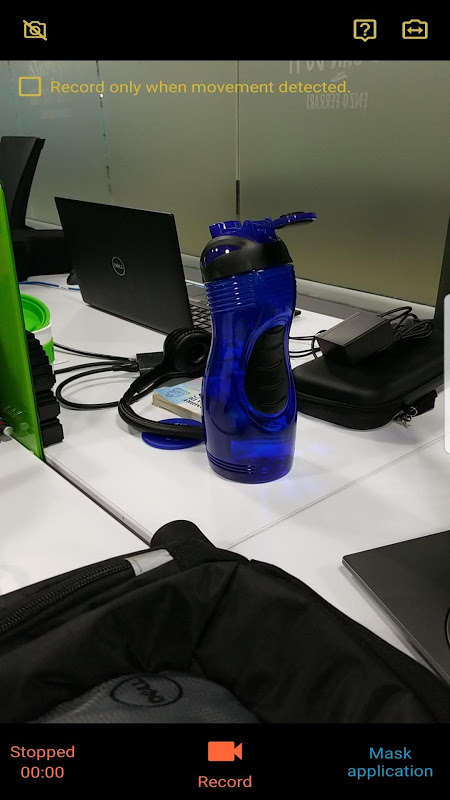
You can use MoCa as a regular camera (using the preview mode while recording/detecting) or you can use it as a background recorder (no preview will be shown in screen).
The background recording mode is perfect for saving battery, which will increase the record time; you can use this mode when using MoCa as a car dashcam (dashboard camera) or a security camera.
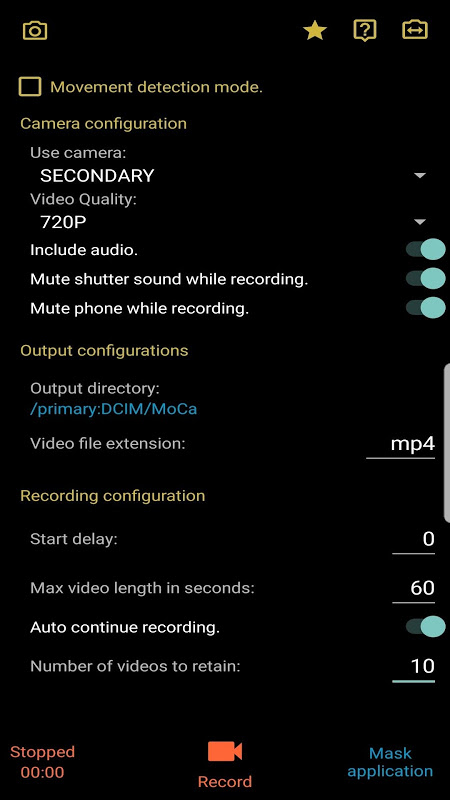
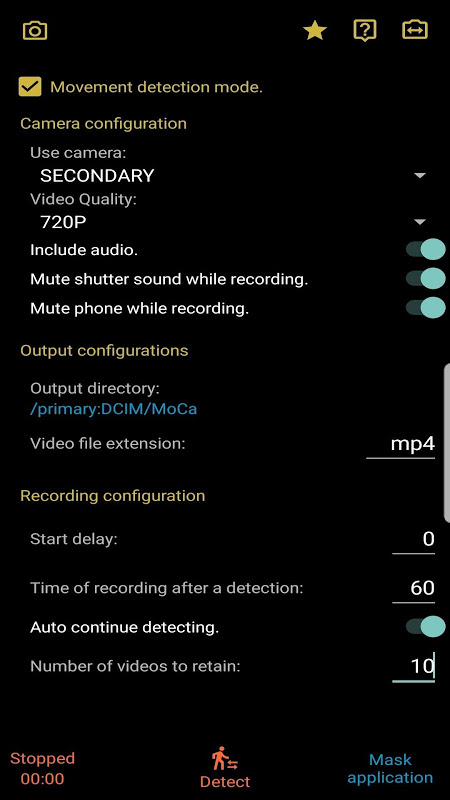
With MoCa you can define retention policy for storage saving; if you decide to store only 10 videos, when MoCa finishes recording the 11th video it will automatically delete the oldest one. You can also define the camera you want to use for the recording as the video quality.
MoCa automatically stops recording when battery level is low or when there's no enough space in the output destination, so videos won't be corrupted.
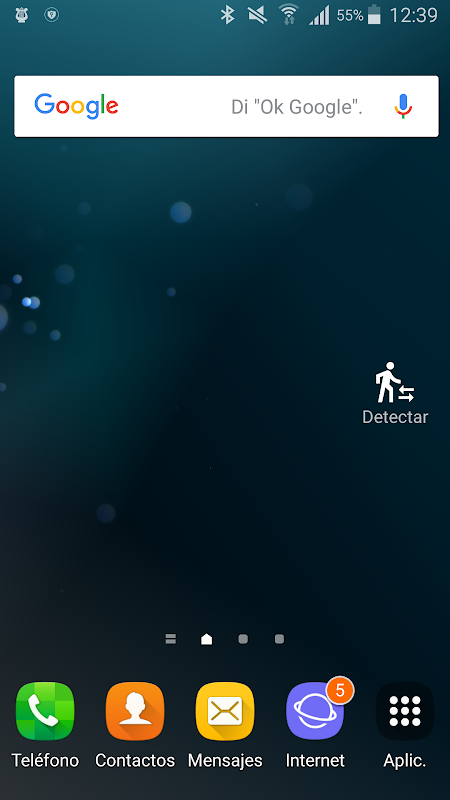
MoCa also has a Widget which you can use for easily start and stop the recording/detection.
And how does it internally work?
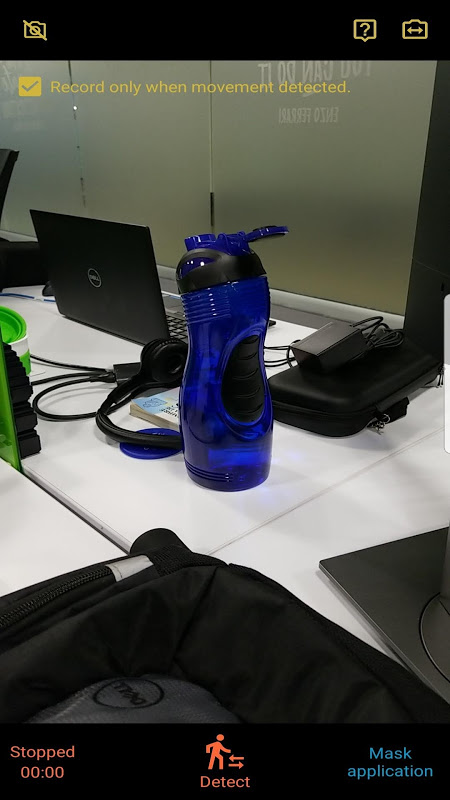
When using MoCa as a motion detection recorder, when you press the "Detect" button, it will start detecting movement; when movement is detected, it starts recording video... the recording length will be the one defined in the settings; after that time reaches, video recording stops and the camera enters in movement detection again (if auto continue detecting is configured) until you stop or a new movement is detected.
If you use MoCa as a regular recorder, when you press the "Record" button, it will start recording video and will split the video every "Max video length" seconds; if you record during 5 minutes and have the Max Video Length configured to 60 seconds, it will produce 5 videos, each 1 minute length.
MoCa's main focus is to provide background recording and motion detection capabilities; don't expect video advanced video features provided in other cameras such as video effects, stickers, etc.
With MoCa paid version you can configure:
1. Use the highest quality for the recording.
2. Define a start delay for the detection/recording.
3. Change the recording duration; by default 1 min.
4. Mute the camera sound
5. Change the output directory for the recordings.
6. Define the video extension.
7. Define retention policy
8. MASK the application texts and icons.
In free version (which includes ads) you can enable the paid version options for one recording/detecting session, just by watching an ad video (masking the application is not available in the free version).
https://forum.xda-developers.com/android/apps-games/app-moca-motion-detection-recording-t3735857
أفضل كاميرا الكشف عن الحركة. يقوم بتسجيل الفيديو بعد اكتشاف الحركة أو بعد نقر المستخدم على زر التسجيل. يمكن أن تعمل تماما حتى مع إيقاف تشغيل الشاشة
ترسل MoCa نية "com.twelvestars.event.MOTION_DETECTED" إلى نظام التشغيل عند اكتشاف الحركة ، بحيث يمكن للمستخدمين استخدام الأدوات مثل Tasker و MacroDroid و Condi و Automate والمزيد لإنشاء إجراءات مخصصة.
يمكنك استخدام MoCa ككاميرا عادية (باستخدام وضع المعاينة أثناء التسجيل / الكشف) أو يمكنك استخدامها كمسجل للخلفية (لن تظهر أي معاينة في الشاشة).
وضع تسجيل الخلفية مثالي لحفظ البطارية ، مما سيزيد من وقت التسجيل ؛ يمكنك استخدام هذا الوضع عند استخدام MoCa كـ dashcam للسيارة (كاميرا لوحة القيادة) أو كاميرا الأمان.
مع MoCa ، يمكنك تحديد سياسة الاستبقاء لتوفير التخزين ؛ إذا قررت تخزين 10 مقاطع فيديو فقط ، فعندما تنتهي MoCa من تسجيل الفيديو الحادي عشر ، فسيتم حذف الفيديو الأقدم تلقائيًا. يمكنك أيضًا تحديد الكاميرا التي تريد استخدامها للتسجيل على أنها جودة الفيديو.
تتوقف MoCa تلقائيًا عن التسجيل عندما يكون مستوى البطارية منخفضًا أو عندما لا توجد مساحة كافية في وجهة الإخراج ، لذلك لن تتلف مقاطع الفيديو.
يوجد في MoCa أيضًا عنصر واجهة مستخدم يمكنك استخدامه لبدء التسجيل / الكشف وإيقافه بسهولة.
وكيف يعمل داخليا؟
عند استخدام MoCa كمسجل لكشف الحركة ، عند الضغط على زر "Detect" ، سيبدأ في اكتشاف الحركة ؛ عندما يتم الكشف عن الحركة ، يبدأ تسجيل الفيديو ... سيكون طول التسجيل هو المحدد في الإعدادات ؛ بعد أن يصل ذلك الوقت ، يتوقف تسجيل الفيديو وتدخل الكاميرا في اكتشاف الحركة مرة أخرى (إذا تم تكوين الكشف التلقائي) حتى تتوقف أو يتم اكتشاف حركة جديدة.
إذا كنت تستخدم MoCa كمسجل منتظم ، فعند الضغط على الزر "تسجيل" ، سيبدأ تسجيل الفيديو وسيقسم الفيديو كل ثانية "Max video length" ؛ إذا قمت بالتسجيل خلال 5 دقائق وقمت بتكوين Max Video Length إلى 60 ثانية ، فسيتم إنتاج 5 مقاطع فيديو ، طول كل دقيقة.
التركيز الرئيسي MoCa هو توفير تسجيل الخلفية وقدرات الكشف عن الحركة. لا تتوقع ميزات فيديو متقدمة للفيديو متوفرة في الكاميرات الأخرى مثل تأثيرات الفيديو ، والملصقات ، إلخ.
مع إصدار MoC المدفوع ، يمكنك تكوين:
1. استخدم أعلى جودة للتسجيل.
2. تحديد تأخير البدء للكشف / التسجيل.
3. تغيير مدة التسجيل ؛ افتراضيا 1 دقيقة.
4. كتم صوت الكاميرا
5. تغيير دليل الإخراج للتسجيلات.
6. تحديد امتداد الفيديو.
7. تحديد سياسة الاحتفاظ
8. قناع النصوص التطبيق والرموز.
في الإصدار المجاني (الذي يتضمن الإعلانات) ، يمكنك تمكين خيارات الإصدار المدفوع لجلسة تسجيل / اكتشاف واحدة ، فقط من خلال مشاهدة فيديو إعلاني (إخفاء التطبيق غير متاح في الإصدار المجاني).
https://forum.xda-developers.com/android/apps-games/app-moca-motion-detection-recording-t3735857
معلومات إضافية
تاريخ التحديث
2019-10-04الإصدار
4.9الحجم
3.57 ميجابايتالمطور
TWELVE STARS SOFTWAREtwelvestarssoftware@gmail.com
تصنيف المحتوى
Everyoneالحزمة
twelvestars.moca_paidالتوقيع (MD5)
bc0682a2056c1aa5d050c23ad7f1c739