TastyHome for KLWP
0.0
١٠تنزيل
5.75 ميجابايتالحجم
لقطات الشاشة
عن التطبيق
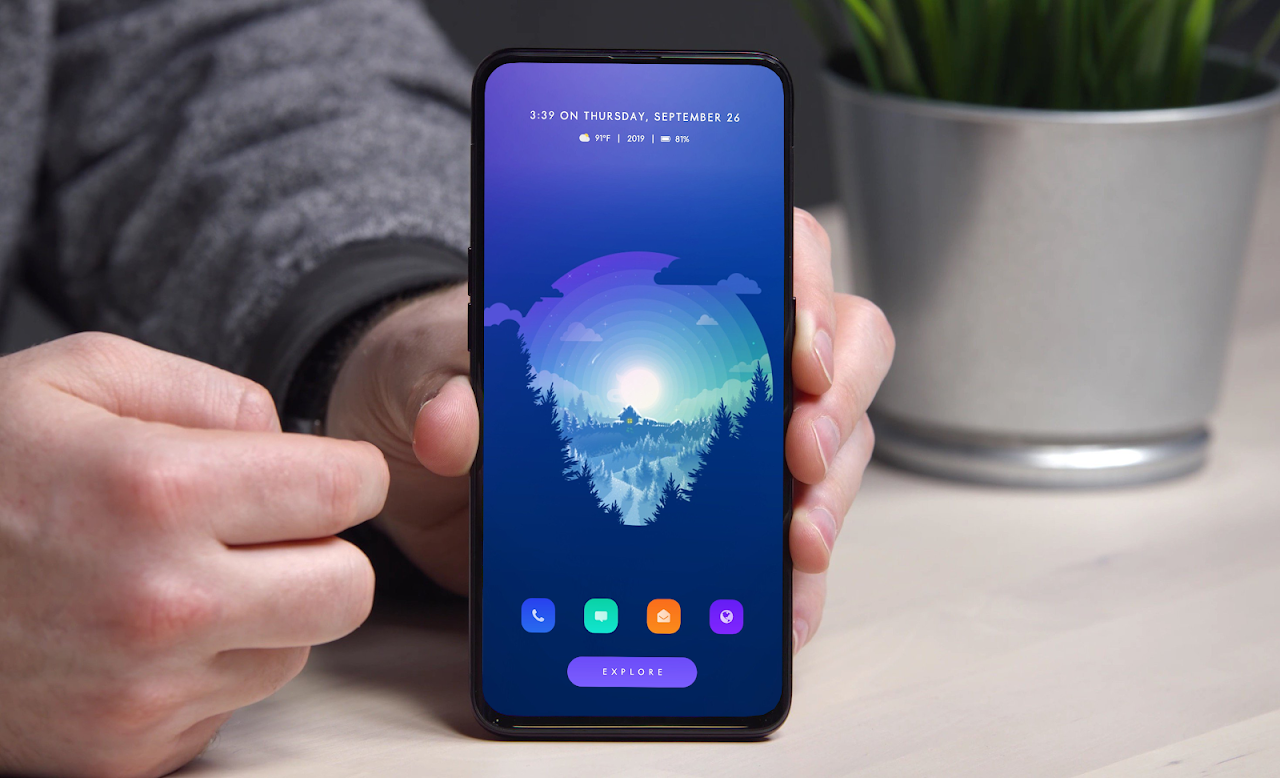
A 1 page preset for KLWP. Automatically resizes to fit ALL phones. Enjoy!
***This is not a stand alone app. It is a preset for KLWP Live Wallpaper Pro Key***
First you need to download these apps:
-Nova Launcher Pro
-KLWP Pro Key
Then:
-In Nova launcher select 1 page, and hide dock.
-In KLWP go to menu, load preset, and under 'Installed' choose TastyHome, or click on the TastyHome app in your app drawer.
-Set KLWP to 1 page
-Open the menu, go to settings and select 'Set as wallpaper', and click apply
-Press the save button, exit the app, and enjoy!
-When using the preset, you can press on the settings icon at the bottom right of the categories page, go from light to dark mode, toggle on the navigation bar (if you have on screen nav buttons), change the wallpaper and the accent color.
-To access your app drawer, go to Nova Settings, then Gestures & Inputs, an for the swipe up gesture select App Drawer. Now you just swipe up on your screen and the app drawer will show up.
Easliy change the colors, images, and fonts under 'Globals', and easily change the hotspots for the apps under 'Shortcuts' when you open the KLWP app.
If you have any questions please email me. I will answer you quickly. Thanks!
إعداد مسبق لصفحة واحدة لـ KLWP. تلقائيا تغيير حجم لتناسب جميع الهواتف. استمتع!
*** هذا ليس تطبيقًا قائمًا بذاته. إنه إعداد مسبق لـ KLWP Live Wallpaper Pro Key ***
تحتاج أولاً إلى تنزيل هذه التطبيقات:
نوفا قاذفة برو
-KLWP Pro Key
ثم:
-في نوفا قاذفة حدد 1 صفحة ، وإخفاء قفص الاتهام.
-في KLWP ، انتقل إلى القائمة ، وقم بالتحميل مسبقًا ، واختر "TastyHome" ، واختر "تثبيت" ، أو انقر فوق تطبيق TastyHome في درج التطبيق.
-إعداد KLWP إلى 1 صفحة
-فتح القائمة ، انتقل إلى الإعدادات وحدد "تعيين كخلفية" ، وانقر فوق تطبيق
، اضغط على زر حفظ ، والخروج من التطبيق ، والتمتع به!
- عند استخدام الإعداد المسبق ، يمكنك الضغط على أيقونة الإعدادات في أسفل يمين صفحة الفئات ، والانتقال من الضوء إلى الوضع الداكن ، والتبديل على شريط التنقل (إذا كان لديك أزرار التنقل على الشاشة) ، وتغيير خلفية الشاشة واللكنة اللون.
-للوصول إلى درج التطبيق الخاص بك ، انتقل إلى إعدادات Nova ، ثم الإيماءات والإدخالات ، وهي لفتة انتقد حدد درج التطبيقات. الآن ، انتقد سريعًا على شاشتك وسيظهر درج التطبيق.
يمكنك تغيير الألوان والصور والخطوط بسهولة تحت "Globals" ، وتغيير النقاط الساخنة للتطبيقات بسهولة تحت "اختصارات" عند فتح تطبيق KLWP.
إن كان لديك أي أسئلة أرجو مراسلتي بالبريد الإلكتروني. سأجيب عليك بسرعة. شكر!
معلومات إضافية
تاريخ التحديث
2019-09-28الإصدار
v2019.Sep.26.16الحجم
5.75 ميجابايتالمطور
Jordan X 'Jobe1785'jobe17855@gmail.com
تصنيف المحتوى
Everyoneالحزمة
tastyhome.kustom.packالتوقيع (MD5)
01bd8edbb5171e0e96b2cfa55a9c6b7b